
SAP Transportation Management (SAP TM): Features, Benefits, and How It Works in S/4HANA

SAP Transportation Management (SAP TM): Features, Benefits, and How It Works in S/4HANA

SAP ERP

Published: May 8, 2026

Banner

SAP Transportation Management (SAP TM) is SAP’s system for running freight, the planning, the execution, the settlement, and the monitoring of goods moving by road, rail, sea, or air. It’s the default TMS in SAP S/4HANA, and it runs one of two ways: embedded inside the same system, or standalone alongside it. Shippers, carriers, freight forwarders, and 3PLs use it to pull freight cost down, see every shipment end to end, and take the manual work out of the trip from order to settlement.

Freight has a way of growing on the P&L without anyone signing off on it. A carrier rate nudges up. An empty mile here, a wrong invoice paid there. Nothing you can point at as one clean line item, which is exactly why it’s so hard to control. SAP Transportation Management pulls all of it into one place, so goods get planned, moved, and paid for on purpose instead of by habit.

Below, we get into what SAP TM actually is, how it works from one end of a shipment to the other, the embedded-or-standalone call that snags most implementations, and where the whole thing sits in a 2026 S/4HANA landscape. Whether you’re evaluating it or just trying to get the module straight in your head, this is the place to start.

What is SAP Transportation Management (SAP TM)?

So what is SAP Transportation Management, really? It’s the software that runs your freight, plainly put. SAP TM takes a shipment through its whole life: planning it, picking and booking the carrier, moving and tracking it, then settling what the freight cost. Road, rail, ocean, air, all of it. It sits in the SAP Digital Supply Chain line, and in any current setup it lives inside the SAP S/4HANA enterprise system.

And it isn’t built for just one kind of company. Shippers use it to move their own goods. For carriers and freight forwarders, transportation is the business, so TM is the business. 3PLs run freight on behalf of their clients. The thread tying them together is complexity: lots of carriers, several modes, rates that won’t sit still, and customers who want to know where their order is right now. That’s the mess SAP TM was made for.

The old approach in SAP was LE-TRA, the bare-bones transportation bit tucked inside SAP ERP. SAP TM took its place with something far deeper and purpose-built, and it’s the transportation solution SAP actually puts its development money behind now.

How Does SAP TM Work?

It’s easier to picture SAP TM as a single flow than as a pile of features. Every shipment runs through the same stages, and the module has a hand in each.

  • Order and requirement. Something needs to move. That requirement lands in TM from a sales or purchase order in S/4HANA, from a delivery, or as a forwarding order a customer sends you. It tells TM what’s shipping, and by when.
  • Planning and optimization. Now TM builds the plan. You can do it by hand, on a map, or let it run automatically. The optimizer trades cost against service level, bundles loads together, and can even lay out vehicle space in 3D so you’re not shipping air.
  • Carrier selection and tendering. TM picks the carrier against whatever rules you set, least cost, service level, allocations, then hands the freight over, either straight to the carrier or through a tender where they bid for it.
  • Execution and monitoring. Freight’s moving. TM watches it, logs the events, and throws up an alert when something slips, so your team can fix it before the customer ever spots the problem.
  • Freight settlement. Finally, TM works out the charges from your carrier agreements, checks the invoices against what actually shipped, and kicks off settlement. This last step is where a surprising amount of overpayment gets caught before it goes out the door.

Run that loop a few thousand times a month, with clean data shared across the business the whole way, and you’ve got the gap between a transportation team that firefights and one that’s genuinely in control.

Embedded TM vs. Standalone TM in S/4HANA

Here’s the call that shapes the entire implementation, and the one most overview breeze right past. Ever since S/4HANA released 1709, TM has run two ways. Choosing wrong and untangling it later gets expensive.

  Embedded TM Standalone / Side-by-Side TM
What it is Switched on inside your S/4HANA system A separate system that plugs into S/4HANA or ERP
Master data Shared with S/4HANA, no replication Copied over from the connected ERPs
Best for Single S/4HANA landscape, lower TCO Multiple ERP instances, or ERPs not yet on S/4HANA
Upgrades Tied to the S/4HANA upgrade cycle Its own release and upgrade cycle
Availability Default in S/4HANA from release 1709 On S/4HANA, or older NetWeaver/SCM (TM 9.x)


For a new deployment on a single S/4HANA system, embedded TM is usually the pick. It shares the same tables and master data, so there’s nothing to replicate, no CIF interface to babysit, a lighter database footprint, and a lower total cost of ownership. One caveat worth knowing: embedded TM comes with Basic Shipping, and the Professional Shipping features sit behind an extra license.

Standalone, or side-by-side, TM earns its keep when the landscape’s messier. Think a dedicated TMS feeding several ERP instances, some maybe still on ECC, or a business that wants transportation running before it migrates the rest of its ERP. One date to keep on the radar, though: SAP has put end to mainstream maintenance for standalone TM 9.6 on NetWeaver and SCM on 31 December 2027, the very same cliff as ECC. If that older standalone TM is in your landscape, the move to S/4HANA TM is a project that needs a date against it, not a someday.


Does embedded or standalone SAP transportation management fit your landscape?

We look at your ERP instances, freight volumes, and roadmap, then point you to the deployment that keeps total cost of ownership down.

Core Components of SAP TM

Under the hood, the SAP TM module is a set of components that hand off to each other along the flow above:

  • Order and forwarding management. Where transportation demand comes in, and where LSPs raise forwarding orders and quotations for their customers.
  • Freight order management. Builds and edits the freight orders and bookings that planning then works from.
  • Transportation planning and optimization. The engine room. It turns raw demand into an efficient plan that respects your constraints and your costs.
  • Carrier selection and tendering. Chooses the carrier and subcontracts the freight, straight up or by tender.
  • Charge management and settlement. Works out charges from your agreements, then drives both freight and forward
  • Strategic freight management. The longer game: freight procurement and contract negotiation with your carriers.

Track and trace. Keeps eyes on shipments and reports events in real time across the network.

Key Features and Capabilities of SAP TM

Those components reach users as a set of capabilities worth knowing:

  • Flexible planning. By hand, on a map, or fully automated, with 3D load optimization squeezing the most out of every vehicle.
  • Multimodal support. One system for road, rail, ocean, and air, complex multi-leg routes included.
  • Real-time visibility. Track-and-trace plus event-based alerts, so a delay gets flagged instead of discovered.
  • Accurate freight costing. Rate engines and agreement-based charge calculation feed clean settlement and cut the billing disputes.
  • Embedded analytics. Fiori apps and Core Data Services reporting on cost, carrier performance, on-time delivery.
  • Sustainability planning. TM can pull greenhouse gas emissions into the plan, so carbon sits alongside cost and service in the decision.
  • Dangerous goods and compliance. Safe, compliant movement of hazardous materials, in line with the regulations that govern them.

SAP TM and AI in S/4HANA (2026)

The 2026 chapter is worth a mention, partly because it’s where SAP TM is going and partly because it’s where most guides quietly stop. SAP S/4HANA 2025 FPS01, out in March 2026, started pulling Joule, SAP’s generative AI copilot, straight into TM freight document processing. On the ground that looks like AI reading and checking freight documents for you, exceptions clearing faster, and a lot less manual keying in the settlement flow.

It’s early days, and no point pretending otherwise: this is AI lending a hand to a human-run process, not standing in for your planners. But the trajectory’s clear, and it sits on the same governed foundation as the rest of AI-driven SAP Business. If your transportation team is buried in freight paperwork, this is the corner of the roadmap worth keeping an eye on.

Benefits of SAP TM

  • Lower freight cost. Sharper planning, consolidated loads, and accurate settlement trim the spend and catch the overpayments.
  • End-to-end visibility. One view of every shipment, every mode, so trouble shows up early rather than on the customer’s doorstep.
  • Less manual grind. Automated planning, carrier selection, and settlement hand the repetitive work back to the machine.
  • Better carrier collaboration. Tendering and collaboration tools keep the conversation and the rates in one place.
  • Healthier cash flow. Cost it right, settle it clean, and you pay what you owe. Nothing more.
  • Agility when things break. Real-time data and dynamic replanning let you bend with disruption instead of snapping under it.

Common Challenges in Transportation Management, and How SAP TM Helps

The very reasons companies go looking for a TMS line up almost one-to-one with what SAP TM tackles.

  • Cost control. Freight spend drifts up across carriers and surcharges when nobody’s watching. TM’s optimization and settlement pin it back down.
  • Fragmented data. Transport data scattered across systems hides the problems. Embedded TM keeps it in one place with the rest of S/4HANA.
  • Rising customer expectations. People want accurate ETAs and a heads-up when things change. Track-and-trace and event alerts give them that.
  • Demand and capacity swings. Volumes and rates that lurch around make planning hard. Automated, rules-based planning flexes with them.

Best Practices for SAP TM Implementation

A TM project is usually won or lost well before go-live. The habits that move the needle, pulled from real rollouts and expanded on in these S/4HANA TM features:

  • Scope it against your processes. Map your real transportation flows first, then configure them, not to some generic template.
  • Pick the deployment on purpose. Settle embedded versus standalone early, off your ERP landscape and roadmap. It’s a costly thing to change later.
  • Get master data right. Locations, business partners, products, rates. That’s the foundation, so clean it before you build.
  • Plan the integrations up front. TM rarely stands alone. Map its links to EWM, SD, MM, Finance, and Global Trade Services before you start.
  • Roll out in phases. One lane or one business unit, proven, then widen it. Big-bang TM go-lives carry risks you don’t need to take.
  • Onboard carriers, train users. The whole thing lives or dies on carriers and planners actually using it. Give both real time in the plan.

Planning an SAP TM implementation or migration?

From the deployment call through go-live, we help you scope it properly and dodge the rework that quietly wrecks most TM budgets.

How Accely Helps With SAP TM

Most of what decides how a TM project lands is settled before anyone opens configuration. The deployment model. The master data. The integration map. A first phase that proves value quickly. Nail those and the rest tends to follow.

That’s where we come in. As an SAP Gold Partner with 23 years of SAP delivery and logistics rollouts behind us, Accely runs the deployment assessment, makes the embedded-or-standalone call with you, handles the SAP data migration off older TM or ECC, and wires TM cleanly into EWM, Finance, and whatever else is in your landscape. What you’re left with is a transportation function that keeps freight cost down and stays visible, not a project that stalls at the halfway mark. All of it rests on the architecture of SAP S/4HANA underneath.

Conclusion

SAP Transportation Management does one thing well, and it counts for more than it sounds: it turns freight from a cost that happens to you into a process you actually run. Planning, carrier selection, execution, settlement, one system, all of it sharing data with the rest of the business.

In a 2026 landscape the picture’s fairly clear. Embedded in S/4HANA for most companies, standalone where the setup calls for it, and AI beginning to lift the paperwork off your team. The date to keep in the corner of your eye is 2027, when older standalone TM and ECC both drop out of mainstream maintenance. If either’s in your landscape, treat that clock as a planning input, not a nasty surprise down the line.

Trying to work out whether SAP TM fits your operation, or how to roll it out without the usual rework? Talk to Accely’s SAP team and we’ll map it to your landscape.

Frequently asked questions

What is SAP Transportation Management (SAP TM)? +

SAP TM is SAP’s system for planning, executing, settling, and monitoring freight as it moves by road, rail, sea, or air. It’s the default TMS in SAP S/4HANA, and shippers, carriers, freight forwarders, and 3PLs run it to bring freight cost down and get end-to-end visibility across the supply chain.

Is SAP TM embedded in SAP S/4HANA? +

Yes. From S/4HANA release 1709 onward, TM can run embedded right inside S/4HANA, sharing its database and master data. Basic Shipping comes included; the advanced Professional Shipping features need a separate license. It can also run standalone, side-by-side, on S/4HANA.

What is the difference between embedded and standalone TM? +

Embedded TM lives inside your S/4HANA system and shares its tables and master data, with nothing to replicate, which keeps total cost of ownership down. Standalone, or side-by-side, TM runs as its own system and fits businesses serving several ERP instances, or ERPs that haven’t moved to S/4HANA yet.

What are the core components of the SAP TM module? +

The SAP TM module spans order and forwarding management, freight order management, planning and optimization, carrier selection and tendering, charge management and settlement, strategic freight management, and track and trace. The whole transportation lifecycle, in other words.

Does SAP TM integrate with SAP EWM? +

Yes. SAP TM ties into SAP Extended Warehouse Management, plus Sales and Distribution, Materials Management, Finance, and Global Trade Services. Run embedded on S/4HANA, that integration gets tighter still, with shared data and support for Advanced Shipping and Receiving between the warehouse and transportation.

Is standalone SAP TM being retired? +

Standalone TM on S/4HANA is fully supported and going nowhere. It’s the older standalone TM 9.6 on NetWeaver and SCM that hits end of mainstream maintenance on 31 December 2027, the same deadline as ECC. If you’re on that release, the move to S/4HANA TM belongs on the roadmap.

Profile

Vikas Chopra

Practice Head SAP S/4HANA

Copy link

SAP Solution Architect with 23+ years in logistics and SCM. Expert in SAP S/4HANA with hands-on experience in global rollouts, upgrades, and enterprise solution delivery.

SAP HANA Memory Management: Concepts, Allocation, Monitoring, and Troubleshooting

SAP HANA Memory Management: Concepts, Allocation, Monitoring, and Troubleshooting

SAP ERP

Published: April 28, 2026

Banner

SAP HANA memory management is how the database claims memory from the operating system, shares it across its own components, then gives it back once it’s free. HANA runs in memory, not off disk, so memory is what keeps it quick or brings it down. The number that counts is used memory, the amount HANA genuinely needs at any given moment. Stay on top of that and performance holds. Lose track of it and slowdowns come first, out-of-memory failures soon after.

Most database problems build slowly. You see them coming. HANA memory problems have a habit of arriving overnight, a system that ran clean yesterday paging, stalling, or dropping out-of-memory dumps by morning. Why does it hit that hard? Because the data sits in RAM. The second demand outruns what the host can hand over, there’s no slow disk underneath to limp along on. The thing just stops.

So no, knowing how HANA handles memory isn’t admin trivia you get to skip. It’s the line between spotting a problem on a dashboard and writing the incident report after the fact. The rest of this covers the memory model, the way allocation actually works, what to keep an eye on, and what to do when consumption starts creeping up.

What is Memory Management in SAP HANA?

At its core, memory management in SAP HANA is the database handling its own housekeeping. It pulls memory from the operating system as it needs it, and gives back what it’s finished with. The catch isn’t the idea. It’s the scale and the speed HANA does this at, and the fact that all of it happens in RAM.

And that’s the part that changes how you think about everything else. HANA is an in-memory database. Your tables, indexes, query results, caches, they all live in RAM while the system runs. Disk only comes into it for persistence and recovery, never for everyday reads. In an older database, memory is one knob among a dozen you might tune. In HANA it’s the single constraint sitting over all the rest. It’s also why the platform under AI-powered SAP S/4HANA needs its memory planned with real care to stay steady once the load comes on.

One indicator sits at the center of all of this. Used memory. Get comfortable with that one and most of HANA memory management falls into place.

How SAP HANA Uses Memory

Picture it as layers. At the top is the physical RAM on the host, the hard ceiling. HANA reserves a chunk of that as a pool and works inside it, growing the pool as tables expand or queries need scratch space, and releasing memory lazily when pressure drops.

What it doesn’t do is grab all the RAM and sit on it. HANA allocates on demand and frees in the background, so the amount it has reserved and the amount it’s genuinely using at any second are two different numbers. Confusing those two is where most memory misreads start. For the wider context of how this fits the platform, the SAP S/4HANA architecture breakdown is a good companion read.

So before the troubleshooting makes sense, you need the vocabulary. Here are the memory types.

Key Memory Types in SAP HANA

SAP documents HANA memory as a set of areas, each measured at a different level. Here’s the whole set in one place.

Memory area What it is Why it matters
Physical memory Total RAM on the host The hard ceiling. Nothing exceeds it.
Virtual memory Everything a process has reserved, in RAM plus any paging on disk Includes code, stack, data, and the memory pool. Grows as HANA needs more.
Resident memory The physical RAM processes are actually holding right now What the OS sees HANA occupying.
Allocated memory Total reserved by HANA, capped by the allocation limit Often higher than what’s in use, because HANA frees lazily.
Used memory What HANA actually needs at this moment The most precise indicator. Watch this one.
Shared memory Memory reachable by multiple processes Holds row store components and nameserver topology.
Heap memory Memory private to one process Holds the column store, row store indexes, intermediate results, and the page cache.

Code and stack also exist as areas, but they’re tiny and rarely worth a second look.

SAP HANA Used Memory

Worth its own note, because it’s the number you’ll come back to constantly. SAP HANA used memory is the sum of shared memory and the heap memory currently in use. It tells you what the database genuinely requires right now, stripped of the slack that allocated memory carries. When someone asks “how much memory does HANA actually need,” used memory is the honest answer.

Used Memory vs. Virtual Memory vs. Resident Memory

These three get mixed up constantly, usually because someone reads resident or virtual off an OS tool and panics. The relationships sort it out.

In a healthy HANA host with no paging, where HANA is the only serious memory consumer, the numbers line up like this:

  • Physical memory is greater than virtual memory.
  • Virtual memory equals resident memory, and both are greater than or equal to allocated memory.
  • Allocated memory equals shared memory plus allocated heap memory.
  • Used memory equals shared memory plus the heap memory in use.

Read that and one thing stands out. A query running will move used memory, but it doesn’t necessarily move the process’s virtual or resident size. So if you’re watching the OS instead of HANA’s own indicators, you’ll misread what’s happening.

One more indicator to know. Peak used memory is the highest used memory has reached since the last restart. It’s how you catch a spike that’s already passed, the load test at 2am you’d otherwise never see in a live reading.

Memory Allocation in SAP HANA

The Memory Pool and Lazy Allocation

HANA doesn’t ask the OS for memory transaction by transaction. That would be slow. Instead it reserves a pool up front and serves its own needs from it. When the pool can’t cover a request, the memory manager goes back to the OS for more, up to the limit.

The lazy part matters. HANA holds onto allocated memory rather than returning it the instant a query finishes, on the assumption it’ll need it again shortly. So allocated memory can drift up toward the ceiling while used memory sits well below it. That’s normal. It’s not a leak.

Initial vs Dynamic Allocation

At startup, HANA loads the row store and a baseline set of structures, your initial footprint. From there it’s dynamic. Column tables load as they’re touched, temporary results consume heap during queries, and the pool grows to match. Demand drives the number, not a fixed reservation.

The Global Allocation Limit

This is the cap on how much memory HANA will allocate, and it’s a query worth knowing on its own. By default the global allocation limit is set to 90% of the first 64 GB of physical memory, plus 97% of every GB above that. You can change it through the global_allocation_limit parameter in global.ini, set in MB.

Hit that limit and the memory manager can’t allocate more for anything, internal operations included. Which is the doorway to out-of-memory territory, so it’s worth getting the sizing right early. Memory planning during a move is exactly the kind of thing covered under AI-assisted SAP migration, where readiness assessment flags undersized hosts before go-live rather than after.

Column Store vs. Row Store Memory

The two table stores in HANA use memory differently, and that difference drives a lot of consumption.

Column Store

The column store holds most of your data and is built for reads. It splits into two parts. Main storage is heavily compressed and read-optimized. Delta storage takes the writes with lighter compression, and a delta merge periodically folds those writes back into main.

Two behaviors save memory here. Columns load lazily, on first access, so columns nobody queries never take up space. And under memory pressure, HANA unloads columns it hasn’t touched recently to free room, reloading them when they’re next needed. That unloading is automatic, though you can influence it with unload priorities.

Row Store

The row store is write-optimized and loads fully into memory at startup. It doesn’t unload the way the column store does, and it lives in shared memory. Keep it lean. A bloated row store is memory you pay for at every restart, whether anyone queries it or not.

Monitoring SAP HANA Memory

You can’t manage what you’re not watching, and the old habit of reading memory off the OS will mislead you. Use HANA’s own tools.

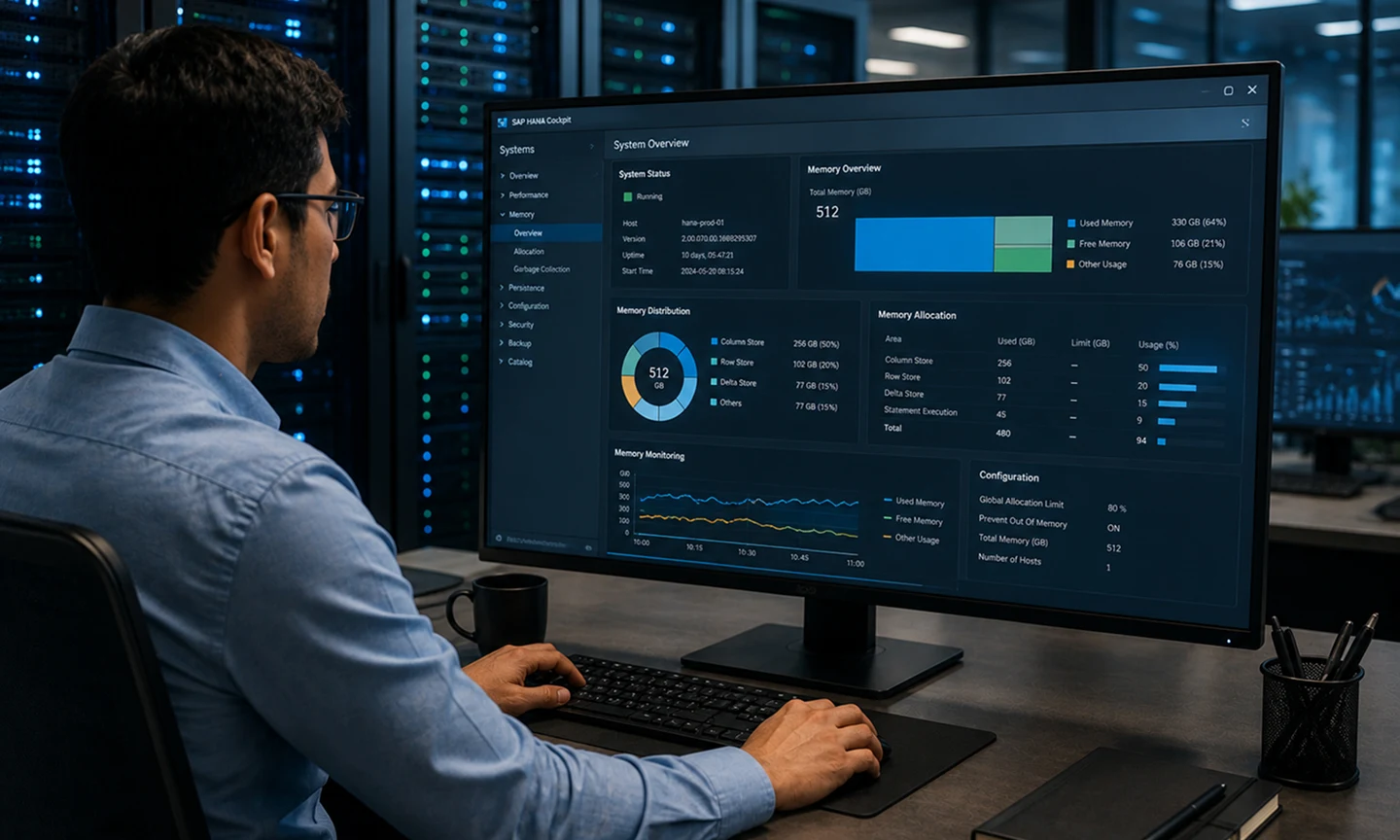
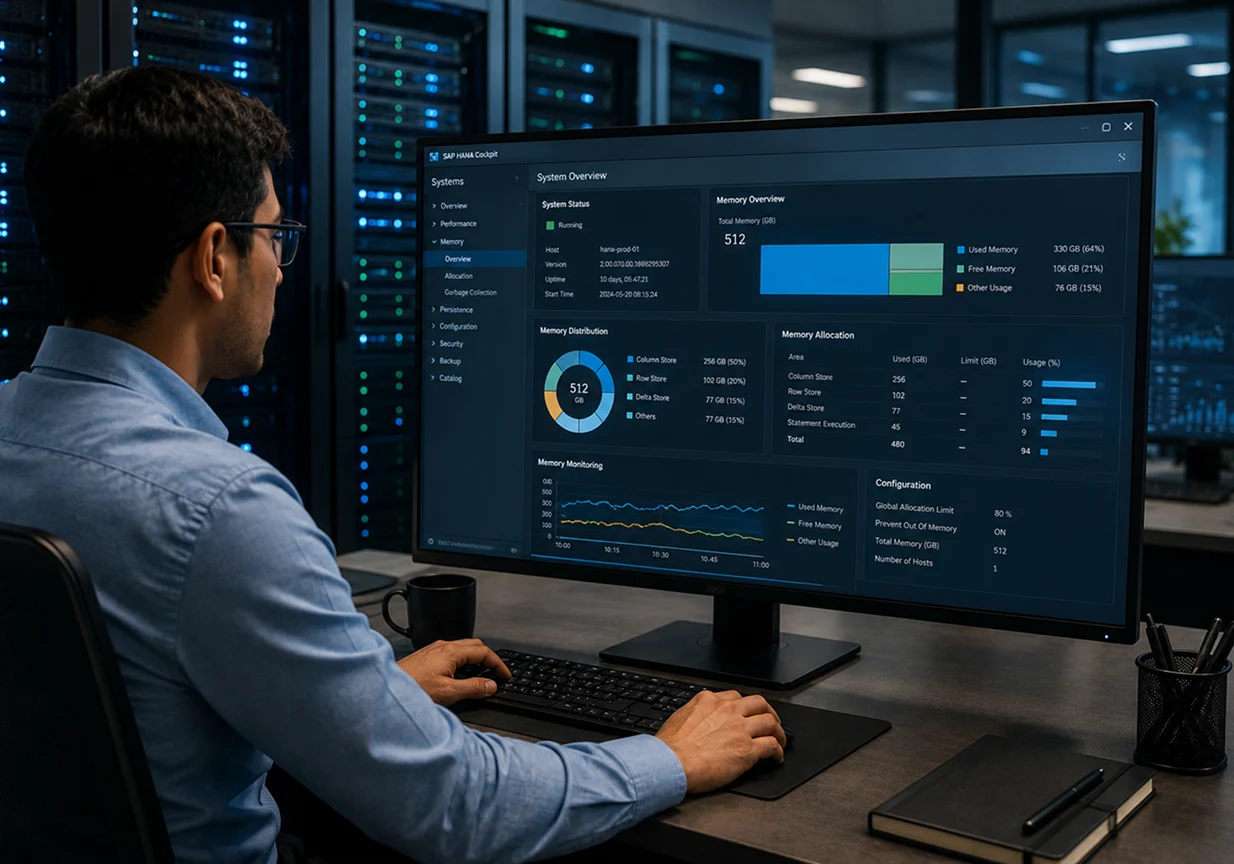
SAP HANA Cockpit

Cockpit is the current admin tool for this. It surfaces used memory, peak used memory, the allocation limit, and per-service breakdowns without you writing a line of SQL. If your team is still living in HANA Studio for monitoring, that’s the dated path now. The cockpit is where this lives.

System Views and SQL

When you want detail, the monitoring views give it. A few worth knowing:

  • M_HOST_RESOURCE_UTILIZATION for host-level physical and used memory.
  • M_SERVICE_MEMORY for per-service used, allocated, and peak figures.
  • M_HEAP_MEMORY to see which allocators are eating the heap.
  • M_CS_TABLES for the largest column tables in memory.

SAP also ships a set of memory mini-checks through its SQL statement collection (SAP Note 1969700) that surface the common problems fast.

Tracking Used Memory and Peak Over Time

A single reading tells you almost nothing. Used memory swings with load all day. What you want is the trend, and the peak across a window that includes your heaviest jobs. Continuous tracking is where AI-assisted SAP managed services earns its place, watching memory trends and firing alerts before a slow climb turns into a failed allocation, instead of someone noticing after the fact.

Troubleshooting High Memory Consumption

This is the section you’ll come back to when something’s wrong.

Finding What is Consuming Memory

Start with the heap. M_HEAP_MEMORY shows the top allocators, which usually points straight at the cause, whether that’s a large intermediate result, a runaway statement, or a cache. Then check M_CS_TABLES for oversized column tables. Compare used memory against the allocation limit to see how much headroom is actually left.

Out-of-Memory (OOM) Situations and Dumps

When HANA can’t allocate, either because it hit the allocation limit or the host ran out of physical RAM, it raises a composite out-of-memory error and writes an OOM dump to the trace directory. That dump is not noise. It lists the top memory consumers at the moment of failure, which is often the fastest route to the culprit. SAP Note 1999997 is the standard memory FAQ, and 1900257 covers reading OOM dumps.

Adjusting Memory Parameters

A few levers, used carefully. global_allocation_limit caps total allocation. statement_memory_limit stops a single runaway query from taking the whole system down with it, which is one of the more useful guardrails you can set. Unload priorities tell HANA which column tables to drop first under pressure.

Reducing Memory Consumption

Parameters treat symptoms. To cut the underlying load, the real moves are data aging and archiving to get cold data out of memory, partitioning very large tables, dropping unused indexes and objects, and keeping delta merges healthy so the delta store doesn’t swell. Less data in memory is the only fix that lasts.

Memory Management in Multitenant Database Containers (MDC)

In a multitenant setup, one system database and several tenant databases share the same host RAM. Left uncapped, a single hungry tenant can starve the others. So you set a global_allocation_limit per tenant, in that tenant’s own configuration, to box in how much each one can take. The system database coordinates, but the discipline is the per-tenant cap. On shared infrastructure, getting these limits right is part of a stable AI-enabled SAP Private Cloud foundation, where one tenant’s spike shouldn’t become everyone’s outage.

How Accely Helps You Manage SAP HANA Memory

Most HANA memory trouble isn’t a mystery once you’re in it. The harder part is not being in it. That means sizing the host correctly before migration, setting allocation limits and statement guardrails that fit your actual workload, and watching the trend so a slow climb gets caught while it’s still a chart and not an incident.

That’s the work Accely does with HANA teams. As an SAP Gold Partner with 23 years in SAP delivery, we pair AI-assisted monitoring and proactive alerting with hands-on tuning, from migration sizing through day-two operations. The aim is straightforward. A HANA landscape that stays inside its memory budget, so your team spends its time on the business and not on OOM dumps at midnight.

Conclusion

SAP HANA memory management comes down to one habit. Know what used memory is doing, and keep it comfortably under the allocation limit. Everything else, the memory types, the column and row stores, the monitoring views, the troubleshooting steps, hangs off that.

HANA gives you the indicators and the controls to stay ahead of trouble. The systems that run into memory walls are almost never the ones being watched. They’re the ones where nobody looked until the dump landed.

Sizing a new HANA host, setting allocation limits, or chasing down consumption that keeps climbing? Talk to the SAP expert team and we’ll help you keep the landscape inside its budget.

Frequently asked questions

What is used memory in SAP HANA? +

Used memory is the amount of memory SAP HANA actually requires at a given moment, calculated as shared memory plus the heap memory in use. It’s the most precise indicator of HANA’s real memory footprint, and the main figure to watch, because allocated memory often sits higher due to lazy freeing.

What is the difference between used memory and resident memory? +

Used memory is what HANA genuinely needs right now. Resident memory is the physical RAM the processes are holding, as seen by the operating system. Residents can stay flat while used memory moves with query load, so reading resident off an OS tool can misrepresent what HANA is actually doing.

What is the global allocation limit in SAP HANA? +

It’s the cap on how much memory HANA will allocate. By default it’s 90% of the first 64 GB of physical memory plus 97% of each GB above that. It’s configurable through the global_allocation_limit parameter in global.ini. Reaching it stops further allocation and can trigger out-of-memory errors.

What causes high memory consumption in SAP HANA? +

Usually large column tables held in memory, runaway statements producing big intermediate results, an oversized row store, or a delta store that hasn’t merged. Check M_HEAP_MEMORY for the top allocators and M_CS_TABLES for large tables to find the specific cause before adjusting anything.

How do you check SAP HANA memory usage? +

Use SAP HANA Cockpit for a visual view of used, peak, and allocated memory, or query the system views directly. M_HOST_RESOURCE_UTILIZATION gives host-level figures, M_SERVICE_MEMORY gives per-service detail, and M_HEAP_MEMORY shows the largest allocators. SAP’s memory mini-checks (Note 1969700) surface common issues quickly.

What causes an out-of-memory (OOM) dump in SAP HANA? +

An OOM happens when HANA can’t allocate memory, either because it reached the global allocation limit or the host ran out of physical RAM. HANA writes a dump to the trace directory listing the top consumers at the moment of failure, which is the fastest starting point for diagnosis.

Profile

Vikas Chopra

Practice Head SAP S/4HANA

Copy link

SAP Solution Architect with 23+ years in logistics and SCM. Expert in SAP S/4HANA with hands-on experience in global rollouts, upgrades, and enterprise solution delivery.

SAP BDC Integration: Datasphere, Analytics Cloud, & Others

SAP BDC Integration: Datasphere, Analytics Cloud, & Others

SAP Analytics Cloud

Published: April 15, 2026

Banner

SAP BDC integration works through data products, not point-to-point connectors. SAP applications publish governed data products into Business Data Cloud, Datasphere harmonizes and models them, and Analytics Cloud consumes them. Systems and components are grouped into formations.

Third-party tools like Databricks, Snowflake, and Microsoft Fabric connect through BDC Connect using zero-copy Delta Sharing, so data stays put instead of being copied around. That’s the shape of it.

Most people searching “SAP BDC integration” already know what Business Data Cloud is. What they actually want is the wiring diagram. How does data get in? How do Datasphere and Analytics Cloud fit together? And what happens when half your stack lives outside SAP, in Databricks or Salesforce or a warehouse nobody wants to rip out?

Here’s the part that trips people up. Integration in BDC doesn’t look like the connector spaghetti you might picture. It runs on a small set of concepts: data products, formations, and BDC Connect. Get those three, and the rest of this falls into place fast.

What Does SAP BDC Integration Actually Mean?

In older SAP landscapes, integration meant building pipes. Extract from one system, transform it somewhere, load it into another, then maintain that chain forever.

BDC flips the model. SAP applications publish their business data as curated, SAP-managed data products into Business Data Cloud. A data product is a ready-to-use, governed dataset built on SAP’s own business process definitions, so you’re not reverse-engineering table structures to figure out what a field means. Datasphere sits in the middle, between those data products and whatever consumes them, adding the business semantics that make the data usable.

So integration here is less about moving data and more about publishing, harmonizing, and sharing it. Less plumbing. More assembling.

The Building Blocks of BDC Integration

Three concepts carry the whole SAP BDC architecture. Worth pinning each one down before going further.

Data Products

The unit of integration. Instead of raw tables, SAP packages business data into governed products, finance, HR, supply chain, and so on. Because SAP manages them, you can’t rewrite their structure, but you can extend and enrich them, combine them with your own data, or push them out to a tool like Databricks. To use one, you find it in the catalog inside your Datasphere tenant and install it into a space. That’s genuinely most of the work.

Formations

A formation is how you group things. It bundles the source systems plus the core components, Datasphere, Databricks, and Analytics Cloud, that consume, enrich, and visualize the data. And you’re not stuck with one. You can run separate Dev, Test, and Production formations to mirror a normal three-system landscape, which matters the moment you take BDC integration past a proof of concept.

Intelligent Applications

The fastest route in. Intelligent Applications are SAP-delivered packages with the data models already built in Datasphere, the data products already wired, and the Analytics Cloud stories ready to go. Install one and you’ve got working reporting with very little assembly. One catch worth knowing: because their models live in Datasphere, any formation running an Intelligent Application has to include Datasphere. In practice, that’s every formation.

How SAP Datasphere Integrates Data in BDC

Datasphere is the center of gravity. Data products on their own are rarely enough to hand straight to a dashboard. They’re missing the business context, the relationships, the meaning. Datasphere is where that gets added.

Harmonizing and Modeling Data Products

You install data products into a Datasphere space, then build models on top. You can layer on calculations, apply filters for business context, or combine an SAP data product with a customer or partner dataset to make something none of the sources gave you alone. The models you build become the foundation everything downstream reads from.

The Semantic Layer

This is the quiet value. Datasphere lets you define what a field actually means, currency, unit of measure, hierarchy, the aggregation behavior of a measure, once, centrally. Then every consumer reads it the same way. No two teams arguing over which revenue number is the real one. Governance is part of this too: you set data access controls that decide who sees what, and because that lives in the model, it travels with the data. This is also where lineage and compliance get real, which is why SAP cloud data security is worth reading next to this.

Replication Flows vs Zero-Copy

Two ways data lands in a Datasphere space. Replication flows physically load it from the Foundation Services into local tables. Or zero-copy through Delta Sharing, where the data stays at the source and you query it in place. SAP has been moving toward the delta share protocol in Datasphere specifically to avoid replicating into local tables. The direction of travel is clear: less copying, more sharing.

Integration is where BDC projects live or die.

We’ll connect your SAP and non-SAP sources into one governed layer, cleanly.

How SAP Analytics Cloud Consumes BDC Data

If Datasphere is the kitchen, Analytics Cloud is where the food gets served. It’s the consumption front end, not a separate system you bolt onto BDC.

Stories and Dashboards

Analytics Cloud reads the models Datasphere exposes. Build a story or dashboard directly on a governed BDC model and the numbers are trustworthy by default, because the semantics and access rules came along for the ride. The same tooling behind SAP Analytics Cloud platform is what teams use for this.

Planning on the BDC Foundation

Planning runs on the same foundation as reporting, so your forecasts sit on the same governed data as your actuals. No reconciling two versions of the truth before a planning cycle even starts.

Joule and Natural-Language Analytics

The newer layer, and a fast-moving one. Joule Agents now let users discover and create data products through natural language, performing joins and transformations automatically and applying governance policies, while business users ask analytical questions in plain language and get context-aware answers across lines of business. The knowledge graph is what makes that work, since it understands the relationships between your data, not just the values.

Integrating SAP S/4HANA, BW, and SuccessFactors

Most BDC integration starts with SAP sources. Each has its own path.

S/4HANA as a Data Product Source

S/4HANA is usually the anchor. It publishes business-ready data products straight into BDC, finance from the Universal Journal, procurement, sales, and the rest, so the system of record becomes a governed source without a custom extraction project. Mapping those sources before you start is where the SAP migration system earns its place, especially if your landscape is mid-transition. The S/4HANA deployment options also shape how this connects.

BW and BW/4HANA Modernization

Decades of BW modeling don’t have to be thrown out. The BW Data Product Generator turns existing warehouse content into managed data products, and BW Bridge gives you a cloud path that lets you decommission the old warehouse gradually rather than in one nervous weekend.

SuccessFactors and Line-of-Business Sources

HR data through SuccessFactors, plus other line-of-business systems, publish as data products the same way. The pattern holds no matter the source: publish, harmonize in Datasphere, consume in Analytics Cloud.

Third-Party Integration With BDC Connect

This is where BDC integration gets genuinely interesting, and where the old “build an ETL pipe” instinct dies.

Databricks

The headline integration. BDC Connect for Databricks gives secure, zero-copy access to SAP data products through Delta Sharing, with everything governed in Unity Catalog and no replication or external ETL. Datasphere handles governed modeling and business semantics. Databricks handles large-scale processing, external data, and model training. You model in one and use it in the other without copying anything between them.

Snowflake, Google BigQuery, and Microsoft Fabric

The ecosystem is widening. Snowflake, Google BigQuery, and Microsoft Fabric all join the zero-copy sharing ecosystem, with general availability planned for H2 2026. Same principle every time. Business context is managed once, centrally, in BDC, and the data stays where it lives.

Salesforce and Operational Systems

Non-SAP operational data fits the picture too. A typical pattern: S/4HANA publishes data products into BDC, Salesforce data is ingested separately, both get governed together, then joined and served for analytics, all without duplicating data or running external ETL. CRM and ERP, finally reading from one trusted view.

Master Data With Reltio

Newer still. SAP’s Reltio acquisition brings multi-domain master data management directly into BDC, to unify, cleanse, and harmonize data across SAP and third-party sources. Clean master data is the thing most integration projects underestimate, so this one matters more than it looks.

Governance and Security Across Integrations

Worth its own section, because integration without governance is just a faster way to make a mess.

Governance in BDC isn’t bolted on after the fact. Data products are governed at the source. Access controls live in the Datasphere models, so they apply wherever the data is consumed. When data moves to Databricks, Unity Catalog carries the lineage and permissions. The point is that one set of rules follows the data across every hop, instead of each tool inventing its own. For regulated industries, that single thread of governance is often the reason BDC wins the architecture conversation at all.

Industry Use Cases

Manufacturing

A manufacturer publishes S/4HANA production data as data products, enriches it in Datasphere, then runs the combined picture through Databricks for predictive maintenance and yield models. Sensor data from outside SAP joins through BDC Connect. One loop, not three disconnected systems.

Retail

Retail runs on data that rarely lines up: POS, inventory, loyalty, plus whatever marketing platform is in play. Data products harmonize the SAP side, BDC Connect brings in the non-SAP tools, and merchandising teams get governed demand and replenishment views without a custom build for every report.

Banking and Financial Services

Banks need governed, auditable data for risk and regulatory work, and serious compute for fraud and credit models. The split fits cleanly. Datasphere supplies the governed layer, Databricks runs the models, and governed lineage holds the whole thing together for the auditors who will absolutely ask.

Implementation Considerations and Best Practices

Planning Your Formations

Decide your formation structure before you build. Map which source systems feed which components, and set up separate Dev, Test, and Production formations from the start. Retrofitting that later is painful.

Data Product and Governance Strategy

Before turning on Joule or wiring up third-party connectors, settle which datasets are authoritative, how they’re governed, and who can use them. That catalog is what makes everything downstream, especially the AI, trustworthy. Skip it and you’re building on sand.

Phased Rollout vs Big-Bang

Phased almost always wins. Start with one source and one Intelligent Application, prove the loop end to end, then widen. Big-bang integrations look efficient on a slide and rarely survive contact with real data.

Monitoring and Optimization

Integration isn’t done at go-live. Watch replication health, query performance, and consumption patterns, and tune as usage grows. This is the kind of ongoing work AI-assisted SAP managed services is built to carry, so it doesn’t fall on a team already stretched.

Zero-copy sounds simple. The setup rarely is.

We’ll scope your Databricks, hyperscaler, and BW connections before you commit.

How Accely Helps With SAP BDC Integration

The hard part of BDC integration isn’t clicking install on a data product. It’s the design decisions around it. Which formations, which sources first, how the governance model should work, and where the line sits between Datasphere modeling and Databricks engineering.

That’s our lane. As an SAP Gold Partner with 25+ years in SAP delivery, we run AI-assisted assessments of your current landscape, then design the AI-enabled SAP Business Data Cloud integration around how you actually operate, formations, data products, third-party connectivity, the lot. The aim is an integration that holds up as you scale it, not a proof of concept that quietly breaks the first time real volume hits it.

Conclusion

SAP BDC integration is simpler to reason about once you drop the old pipe-building mental model. Data products are how data gets published. Formations are how systems and components are grouped. Datasphere harmonizes and adds meaning. Analytics Cloud consumes it. And BDC Connect extends the whole thing to Databricks, Snowflake, Fabric, and beyond with zero-copy sharing.

The shift is from moving data to publishing and sharing it, with governance running through every step instead of being patched in at the end. That’s what makes BDC integration scale where older approaches stalled.

Planning a BDC integration, or trying to work out which sources and formations to start with? Talk to Accely’s SAP consultation team and we’ll map it to the landscape you actually have.

Frequently asked questions

What is a data product in SAP BDC? +

A data product is a curated, SAP-managed dataset built on SAP’s business process definitions, published from applications like S/4HANA into Business Data Cloud. It’s the unit of integration in BDC. You install data products into Datasphere spaces and build models on them, rather than extracting raw tables and rebuilding the business meaning yourself.

What is a formation in SAP BDC architecture? +

A formation groups the source systems and core components, Datasphere, Databricks, and Analytics Cloud, that ingest, enrich, and consume data together. You can create separate Dev, Test, and Production formations to mirror a standard three-system landscape, which keeps non-production work isolated from live data.

How does SAP BDC Connect work? +

BDC Connect shares data between Business Data Cloud and third-party platforms using zero-copy Delta Sharing. Data stays at the source instead of being replicated, and governance and lineage carry across. It currently supports Databricks, with Snowflake, Google BigQuery, and Microsoft Fabric joining the ecosystem through 2026.

Can you integrate non-SAP data with SAP BDC? +

Yes. Non-SAP data integrates through BDC Connect and Datasphere. Tools like Databricks and Salesforce connect via Delta Sharing or ingestion pipelines, and the data is governed alongside SAP data products. You can combine SAP and non-SAP sources in a Datasphere model without duplicating data across systems.

Does SAP BDC integration require Databricks? +

No. SAP Databricks is a core component for data engineering and AI workloads, but BDC integration through data products, formations, Datasphere, and Analytics Cloud works without leaning on it. How much you use Databricks depends on your machine learning and external-data needs.

How does SAP BDC integrate with SAP S/4HANA? +

S/4HANA publishes business-ready data products directly into BDC, including finance data from the Universal Journal, procurement, and sales. Those products are harmonized in Datasphere and consumed in Analytics Cloud, so S/4HANA becomes a governed source without a custom extraction project.

Profile

Muralidharan Venkataraman

Global Head Delivery & Presales

Copy link

30+ years of experience managing large, complex SAP programs across industries, geographies, and functions. Expert in enterprise-scale transformation and program governance.

Extension Ledger in SAP S/4HANA: Features, Setup, and Benefits Explained

Extension Ledger in SAP S/4HANA: Features, Setup, and Benefits Explained

SAP ERP

Published: March 25, 2026

Banner

An extension ledger in SAP S/4HANA sits on top of a standard ledger and records only delta postings, meaning the specific adjustments you need for one reporting view. It doesn’t copy the base ledger’s data. When you run a report, SAP reads both ledgers together. So you get a way to handle tax adjustments, management entries, and predictive accounting without building a second full ledger to do it.

Ask a finance team how many versions of their numbers they keep, and the honest answer is always more than one. There’s the statutory view. The group view. A tax view. Then whatever shape management wants this quarter. Same underlying figures, reshaped four different ways.

Standing up a full ledger for each of those is slow, and it bloats your data. The extension ledger is SAP’s answer to that problem. It lets you record adjustments on top of a ledger you already have, without copying anything or going near your core books.

Below: what it is, how it differs from a non-leading ledger, how it actually works, where predictive accounting comes in, what it can’t do, and how to configure one.

What is an Extension Ledger in SAP S/4HANA?

An extension ledger pulls its data from an underlying standard ledger and stores only the extra postings you make against it. Those extras have a name in SAP. Delta postings.

The base figures are inherited, not copied. So the extension ledger only ever holds the difference, nothing else.

All of it lives inside the Universal Journal, the single ACDOCA table that carries finance line items in AI-enabled SAP S/4HANA. One table for every posting. That’s the thing that lets you report on the standard ledger by itself, the extension ledger by itself, or the two read together, without stitching data from different places. For the wider map of where finance sits in the suite, the overview to SAP S/4HANA modules is a decent starting point.

A standard ledger is your book of record. An extension ledger is a see-through layer on top of it, holding entries you want in a specific report but nowhere near your core books.

SAP S/4HANA Finance and the General Ledger

In SAP, the general ledger is where financial accounting lives. Every business transaction lands on a G/L account, and from there the ledger gives you the full financial position, broken out by company code, segment, profit center, whatever dimension you report on.

S/4HANA changed how this works under the hood. The old setup kept separate tables for the G/L, controlling, asset accounting, the material ledger. S/4HANA folded all of that into one line-item table, ACDOCA, shared across every module. And that shared table is the whole reason extension ledgers can exist. The data already sits in one place, so SAP can layer a ledger over it and read both at runtime.

If you want a closer look at the finance side, the S/4HANA finance module breakdown goes deeper. From here on, we stay on the extension ledger.

Types of Ledgers in SAP S/4HANA

Two ledger families matter before the extension ledger makes sense. Standard ledgers, and the extension ledger itself.

Standard Ledger

A standard ledger carries the full record of your financial transactions. S/4HANA gives you two kinds of it.

The leading ledger (0L) is the primary one. It usually runs your group accounting principle, often IFRS. Every company code reports to it, and postings cascade down from there.

A non-leading ledger runs in parallel for a different principle, normally local GAAP or tax. The key point: it stores a complete set of values on its own. That’s what makes it fit for statutory reporting in a given country.

Extension Ledger

The extension ledger isn’t a standalone book. It points at a base ledger and records only delta entries against it. If the base ledger already shows a number, the extension ledger inherits it and posts your adjustment on top. Which is exactly why it carries a sliver of the data a full ledger does.

Most teams use it as a tax or management overlay. Legal numbers stay in the base ledger. The adjustments only one audience cares about go in the extension ledger.

Extension Ledger vs Non-Leading Ledger

This is the comparison people get stuck on, because both touch parallel reporting. What separates them is what they store, and what you’d reach for them to do.

  Non-Leading Ledger Extension Ledger
Data stored Full set of values Delta postings only
Depends on a base ledger No, self-contained Yes, reads from a base ledger
Storage footprint Higher Low
Typical use Statutory and legal reporting under a local GAAP Adjustments, management reporting, predictive accounting
Replaces core books Can act as a parallel book of record No, it’s an overlay

A quick way to decide. Does the view need to stand on its own as a legal book? Non-leading ledger. Is it just an adjustment layer on figures that already exist? Extension ledger.

Key Features of the Extension Ledger in SAP S/4HANA

Worth being precise here, because people blur the two constantly. These are extension ledger features, not general ledger features.

Derivation from the Standard Ledger

Every extension ledger ties to an underlying ledger, usually 0L, and reads its data automatically. You never key the base figures again.

Delta Posting

You post the difference, and only the difference. A tax adjustment, a management accrual, a reclassification, all of it goes into the extension ledger and stops there. The base ledger doesn’t move.

Storage Efficiency

Nothing gets duplicated, so the data footprint stays small. SAP merges the base values with the delta entries on the fly when you run a report. On a system pushing serious transaction volume, that saved space adds up fast.

Parallel and Scenario Reporting

You can run parallel accounting and what-if scenarios without standing up a stack of full ledgers. Each extension ledger is its own view, layered on the same actuals. Handy when consolidation and adjustment cycles start piling on top of each other, and it works well alongside AI-powered SAP Group Reporting for catching anomalies during consolidation.

Integration with the Universal Journal

Base postings and delta postings all sit in ACDOCA. Same table, same reporting tools, and the numbers reconcile whether you’re looking at the standard ledger, the extension ledger, or both at once.

How Does the Extension Ledger in SAP S/4HANA Work?

Three moving parts, really. How the data flows, how postings get tagged, and how a report stitches it all back together.

Data Flow

Run a report and SAP grabs the base figures from the standard ledger, then drops the extension ledger’s delta entries on top. Nothing’s calculated ahead of time or held in two places. The merge happens live, at the moment you run it.

Posting Mechanism

Anything posted to an extension ledger gets tagged to its ledger group, so it only ever touches that ledger. The base ledger never sees it. That isolation is the entire point. You record an adjustment, it shows up in one report, and your legal books don’t budge.

Reporting

You pick the lens. Standard ledger for the legal numbers. Extension ledger to see the adjustments on their own. Both, for the adjusted picture. One data source, three ways to read it.

Extension Ledger and Predictive Accounting in SAP S/4HANA

Here’s where the extension ledger earns its keep, and it’s the part most overviews skip past.

How Predictive Accounting Uses the Extension Ledger

Predictive accounting shows you the financial impact of something that hasn’t been posted yet. Create a sales order and there’s no actual revenue, so the standard ledger records nothing. Predictive accounting instead writes a statistical entry into an extension ledger. Your actuals stay clean. The forecast sits right next to them, separate.

Worked Example: Forecasting from a Sales Order

Say a manufacturer takes a sales order worth 50,000 USD. Nothing’s shipped, so the leading ledger 0L stays empty on this one for now.

Predictive accounting posts to the extension ledger, call it N1:

  • Predicted accounts receivable: 50,000 USD
  • Predicted revenue: 50,000 USD

Then the goods go out, the invoice posts, real revenue hits 0L, and that predictive entry in N1 drops away. A report reading 0L plus N1 shows you booked revenue and the pipeline you expect to land, in one view. Committed and expected, side by side, neither one polluting the other.

Real-Time Forecasting and AI-Enabled Planning

Once those predictive entries are flowing, they turn into a feed for forward-looking analysis. That data carries cleanly into AI-enabled predictive forecasting, where models read committed actuals and predicted pipeline together and flag variances earlier than any manual review would. The extension ledger keeps prediction and actual apart at the source. That separation is what makes the downstream analysis worth trusting.

Benefits of the Extension Ledger in SAP S/4HANA

Faster Setup With No Data Migration

Configuration, not a data project. There’s no migration to run. Configure it, and it reads existing data straight away, with historical figures coming through the base ledger.

Lower Data Footprint

Delta-only storage means you add a reporting layer without paying the storage cost of a full parallel ledger. On high-volume systems, that gap is real money.

Reuse of Existing Reports

Standard ledger reports just work with extension ledgers. Analytical apps and old-school SAP GUI reports both read the combined view, so you’re not rebuilding a reporting stack from scratch.

Flexible Parallel and Management Reporting

Carve out a separate view for management, tax, or a what-if scenario, and the legal books stay untouched. Every view is its own overlay.

Reduced Risk to Core Ledgers

Adjustments are boxed into the extension ledger, so the odds of a management or tax entry quietly distorting your statutory numbers drop to roughly nil. Your book of record stays exactly that.

Limitations: What the Extension Ledger Cannot Do

It’s an overlay, not a stand-in for a standard ledger. Knowing the edges keeps you from designing yourself into a corner you can’t post your way out of.

  • No postings to customer or vendor reconciliation accounts.
  • No postings to G/L accounts under open item management.
  • No integration with Asset Accounting.
  • Limited support for automatic processes like G/L allocations.
  • It leans on its base ledger, so it can’t run independent business processes alone.
  • It’s built for adjustments, reporting, and predictive entries, not core legal ledger accounting.

If a requirement trips any of those, the answer is a non-leading ledger or a different design, not an extension ledger forced into a job it wasn’t built for.

Use Cases and Scenarios for Extension Ledgers

Local Tax vs IFRS Adjustments

A company reports group results under IFRS in the leading ledger, then needs local tax adjustments, accelerated depreciation, tax-deductible provisions, that sort of thing. Those go into the extension ledger. Both views stay compliant, and nothing’s duplicated to get there.

Management and Topside Adjustments

Management reporting wants regroupings and reclassifications that have no business sitting in the legal books. The extension ledger holds those topside adjustments cleanly, so the management view and the statutory view trace back to the same actuals.

Post-Closing and Period-End Entries

Entries booked after a period closes, or corrections you only want visible in one report, fit the model neatly. The closed standard ledger never gets touched.

Forecasting and Predictive Scenarios

Covered this above, so just to place it: predictive accounting and what-if runs both lean on the extension ledger to keep forward-looking entries away from your actuals.

How to Set Up an Extension Ledger in SAP S/4HANA

Setup happens in configuration (SPRO). Menu wording shifts a little between releases, so check it against your own system. The flow itself holds steady.

Creation Procedure

Head to Financial Accounting, then Financial Accounting Global Settings, then Ledgers, then Ledger, then Define Settings for Ledgers and Currency Types. Create the new ledger, set its type to extension ledger, and point it at the base ledger it should read from, usually 0L.

Company Code Settings

Open company code settings for the new ledger. It inherits the company code assignments from its base ledger, so before you post anything, double-check the company codes you expect are actually there.

Assigning Accounting Principles

Assign an accounting principle. Nine times out of ten it mirrors the reference ledger’s principle, so the overlay reports on the same basis as the book underneath it. Principle assigned, and the ledger’s ready for delta postings.

Implementing Extension Ledgers With Accely

Most extension ledger projects don’t come apart at configuration. They come apart at design. The technical build is a day’s work. Deciding which views belong in an extension ledger, which need a full non-leading ledger, and how predictive accounting should feed your planning, that’s where the real time goes, and where the expensive mistakes hide.

That’s the part Accely works on with finance teams. As an SAP Gold Partner with 26+ years in SAP delivery, our consultants run AI-assisted analysis across your current ledger setup and data quality, then map each reporting requirement to the right ledger design before anyone opens SPRO. Parallel reporting structures, predictive accounting, the move onto SAP financial management for teams modernizing the close. The point is a ledger architecture that reports right the first time, instead of one you spend a quarter unpicking.

Conclusion

The extension ledger does one job, and does it well. It gives you an adjusted or forward-looking view of your finances without a second full ledger and without putting your legal books at risk. Delta postings, a light data footprint, and a hard line between actuals and everything layered above them.

It won’t fix every reporting need. It can’t replace a standard ledger, and it runs into real walls around reconciliation accounts and asset accounting. Used for what it’s built for, though, adjustments, management reporting, predictive accounting, it’s one of the more genuinely useful tools in S/4HANA Finance.

Weighing an extension ledger against a non-leading ledger, or planning predictive accounting on your current setup? Get that design call right before you configure a thing. Talk to Accely’s SAP expert team and we’ll map it to how you actually report.

Frequently asked questions

What is an extension ledger in SAP S/4HANA? +

It’s a ledger that derives its data from a standard ledger and records only delta postings against it, without duplicating the base ledger’s data. SAP reads the standard and extension ledgers together at report time, which makes it an efficient way to handle adjustments and parallel reporting.

What is the difference between an extension ledger and a non-leading ledger? +

A non-leading ledger stores a full, self-contained set of values and can serve as a statutory book of record. An extension ledger stores only delta entries on top of a base ledger and depends on it. Use a non-leading ledger for legal reporting, an extension ledger for adjustments and management views.

Can an extension ledger replace a standard ledger? +

No. It’s an overlay, not a replacement. It can’t post to reconciliation accounts or open-item-managed accounts, has no Asset Accounting integration, and relies on its base ledger. It’s meant for adjustments, reporting, and predictive entries, not core legal accounting.

What is a delta posting in an extension ledger? +

A delta posting is the adjustment you record only in the extension ledger. The base ledger’s values are inherited automatically, so you post just the difference. These entries are tagged to the extension ledger’s ledger group and never affect the underlying standard ledger.

How does predictive accounting use the extension ledger? +

Predictive accounting writes statistical entries from operational documents, like sales orders, into an extension ledger before any actual posts. Actuals stay in the standard ledger. Reports reading both together show booked and expected figures side by side, with the forecast never touching your real financial records.

How do you configure an extension ledger in SAP S/4HANA? +

In configuration, create a new ledger, set its type to extension ledger, and assign its base ledger, usually 0L. Confirm the company code assignments, then assign an accounting principle, normally the same one as the reference ledger. No data migration needed.

Profile

Vikas Chopra

Practice Head SAP S/4HANA

Copy link

SAP Solution Architect with 23+ years in logistics and SCM. Expert in SAP S/4HANA with hands-on experience in global rollouts, upgrades, and enterprise solution delivery.

Unifying Analytics with SAP BDC: How Datasphere and SAP Analytics Cloud Work Together

Unifying Analytics with SAP BDC: How Datasphere and SAP Analytics Cloud Work Together

SAP Analytics Cloud

Published: March 11, 2026

Banner

Analytics with SAP BDC means your reporting, planning, and AI all run off one governed data layer, not three tools that don’t talk. SAP Business Data Cloud is the managed platform that makes that happen. Datasphere does the data work underneath. SAP Analytics Cloud is what people use up top for reports and planning. Databricks handles machine learning. Because they pull from the same model, a number on a dashboard matches the number a forecast uses, and the one an AI agent quotes back to you.

Ask three teams for last quarter’s revenue and you’ll often get three numbers back. Nobody’s lying. The data just lived in different systems, got pulled at different moments, and had quietly drifted in meaning by the time it hit a slide. Closing that gap is the entire job of unified analytics.

SAP Business Data Cloud is SAP’s go at fixing it properly. Here’s the bit most write-ups bury, though: BDC isn’t a shiny new tool. It’s three you probably already know, Datasphere, SAP Analytics Cloud, and a Databricks engine, finally running off one shared, governed set of data. Below, how that happens, what each piece does, and what it takes to get there.

What Unified Analytics in SAP BDC Actually Means

Most analytics problems aren’t really analytics problems. They’re data problems in an analytics costume. Reporting crawls because someone had to pull extracts and stitch them together first. Planning leans on a reconciliation nobody quite trusts. Sales and finance can’t even agree on what counts as a customer.

Unified analytics turns that around. You settle the definitions once, in one governed semantic layer, and everything built on top reuses them. In SAP Business Data Cloud, every tool shares that layer. So a dashboard, a forecast, and a Joule answer all trace back to the same governed model, and they stop contradicting each other. The win isn’t better-looking charts. It’s meetings where people argue about the decision instead of whose number is right.

The Three Components of Analytics in SAP BDC

The SAP Business Data Cloud architecture clicks faster once you stop picturing a product and start picturing three roles, plus the wiring that connects them. Accely’s work on AI-enabled SAP Business Data Cloud runs across all of it.

SAP Datasphere, the Data and Semantic Foundation

Datasphere sits underneath the lot. It connects your SAP and non-SAP sources, models them, and stamps business meaning onto them, so what comes out the other side is a governed product, not a raw table. It runs on SAP BTP; this guide to SAP BTP covers that foundation if you want it. The simplest way to hold it: Datasphere is the part that decides what the data means before anyone reports a thing.

SAP Analytics Cloud, the Analytics and Planning Layer

SAP Analytics Cloud is where the actual work gets done. Dashboards, reports, planning models, predictive bits, one front end for all of it. It links live to Datasphere, so nothing gets copied and no rogue second version of the truth appears. It’s the same tooling behind the AI-enabled SAP Analytics Cloud platform. What makes SAC count inside BDC is that live link: a CFO pulls up revenue and the figure comes straight from the governed model, not some local extract from last Tuesday.

SAP Databricks, the Data Science and ML Engine

Databricks takes on the heavy work Datasphere and SAC weren’t built for. Machine learning. Large-scale processing. Training models on outside data. It shares data with BDC through a zero-copy setup, so models run without hauling data out and back in again. Datasphere hands the models their business context; Databricks brings the raw horsepower.

Tying it all together: the Foundation Services and the Data Product Studio, where governed data products get defined and published. Plus a way off legacy, since BW and BW/4HANA modernize into BDC instead of getting scrapped. And for anyone leaning into Joule and agentic analytics, that same governed layer is what makes SAP Business AI solutions trustworthy rather than a guessing game.

How SAP BDC Unifies Analytics: The Data Journey

Now the part most explainers skip. They name the components and leave you to imagine the wiring. So let’s actually follow one question all the way through.

Say finance wants to know which customers are about to pay late.

  1. Receivables sit in S/4HANA. Customer and contract data is scattered across CX and a few other systems. Individually, none of it answers anything.
  2. Datasphere pulls those sources in, models them, and resolves them into one governed view where “customer” means the same thing in every corner. What you get out is a data product, not a tangle of joins.
  3. SAC connects live to that product and puts rising DSO and overdue accounts on a dashboard. Nothing replicated, and the security and access rules ride straight through from Datasphere.
  4. Databricks trains a model on that same governed data to flag which accounts are likely to slip, then writes the scores back for BDC to use.
  5. Plan and act. Finance reworks the cash-flow forecast in SAC, on the exact model they were just staring at, and Joule fields the follow-up questions off the same layer.

One question. Four tools. Not a single handoff where the meaning of the data shifted. That’s the gap between technically consolidated and actually unified.

SAP Datasphere vs SAP Analytics Cloud: Roles Within BDC

People muddle these two all the time, mostly because both have “analytics” energy. Inside BDC they do genuinely different jobs, and once it’s laid out the split is obvious.

SAP Datasphere SAP Analytics Cloud SAP Databricks
Primary role Data and semantic foundation Analytics and planning front end Data science and ML engine
What it does Connects, models, and governs data into products Dashboards, reports, planning, predictive ML models, heavy processing, external data
Where it sits The layer under everything The layer users interact with Alongside, via zero-copy sharing
Best for Getting data governed and ready Turning data into decisions Heavy AI and ML workloads


So, Datasphere versus SAP Analytics Cloud in a sentence: one gets the data ready and governs it, the other turns it into decisions. Databricks does the AI-grade math off to the side. None of them are fighting for the same job. It’s a relay, each one handing off to the next.

Three tools, one governed layer. Getting the model right is the hard part.

We’ll design the semantic layer so your reports, plans, and AI finally agree.

Data Products and Insight Apps

One real edge BDC has over wiring these tools together yourself is the content that ships with it. Data products are governed, ready-to-use datasets packaged out of SAP systems, so you’re not modeling everything from a blank page. Insight Apps (sometimes called Intelligent Applications) go further still: complete analytical apps that SAP builds and runs, bundling the data models, the processes, and the dashboards into one thing you install.

BW customers get the BW Data Product Generator, which turns existing warehouse content into these products. Years of modeling come along for the ride instead of getting binned. Net result? Less plumbing, and a far shorter trip from raw data to a report someone can actually use.

A Unified Analytics Use Case

Take that days-sales-outstanding problem from earlier and run it all the way out. A finance team watches DSO creep upward, overdue receivables stacking up. That’s a real liquidity risk, not a reporting nicety.

Datasphere governs the receivables and customer data into a single model. SAC surfaces the high-risk accounts and the trend on a dashboard. Databricks trains a payment-delay model on that same governed data and scores every account, and those scores flow back into SAC, where finance reworks the cash-flow forecast on the very model it just analyzed. One governed dataset, carried from raw transaction through prediction to plan, and nowhere along the way did someone re-export the numbers and snap the chain. That unbroken thread is the whole point, and it’s genuinely hard to fake when your tools are disconnected.

What Unified Analytics in BDC Is Not

Worth drawing a few hard lines here, because the marketing around BDC tends to smudge them.

  • It doesn’t run your business processes. BDC is the data and analytics layer. The actual transactions still fire in S/4HANA and the rest of the Business Suite.
  • It isn’t a rip-and-replace of Datasphere or SAC. It’s built on top of them. Already running those? You’re most of the way there already.
  • It’s not just a rebrand. The Databricks engine, the managed data products, the knowledge layer, those are genuinely new bolted onto the older parts.
  • It isn’t mandatory overnight. Your existing Datasphere and SAC tenants keep humming along. You make the move when the value earns it, not because some slide said to.

Migrating to Unified Analytics in 2026

If You Already Run Datasphere and SAC

You’re in the best position. The move is rewiring your current tenants into the BDC framework, not rebuilding from nothing, and SAP is rolling out services to keep that conversion clean, down to converting your Datasphere compute units for use in BDC. Treat it as an upgrade. SAP migration process handles the assessment side, mapping what you’ve got before anything moves.

If You’re on BW or BW/4HANA

BDC was built with your route in mind. BW and BW/4HANA can run as Private Cloud Edition inside BDC, supported through 2030, so you modernize on your own clock instead of a big-bang cutover. And the BW Data Product Generator turns existing models into data products you can use in SAC straight away.

The SAC Dual-Storage Transition

One thing not to sleep on. Analysts have flagged that SAC’s underlying dual-storage model is mid-transition as SAP reworks the architecture beneath it. Teams that drag their feet on BDC readiness risk friction in their analytics pipelines down the line. Smart move is to take stock of your current SAC and Datasphere setup now, and map what a transition would actually involve, long before it turns urgent.

The SAC dual-storage shift is coming. Better to plan it now.

We’ll assess your current Datasphere and SAC setup and map the move to BDC.

Your Unified Analytics Roadmap

You don’t unify analytics in a single project. You build toward it. A workable sequence:

Assess. Inventory what you’ve got across Datasphere, SAC, and BW, and pin down the high-value analytics or AI use cases worth tackling first.

Foundation. Stand up BDC Foundation Services and wire your priority sources, S/4HANA and friends, into a governed layer.

Quick win. Ship an Insight App or one governed use case that proves real value in weeks, not quarters.

Expand. Pull in Databricks for ML, add data products across more domains, and widen the unified layer out from there.

How Accely Helps You Unify Analytics on SAP BDC

The hard part of unifying analytics isn’t standing up the tools. It’s the sequence: which moves first, which use case proves value fastest, and getting the semantic model right so everything stacked on top of it actually holds.

That’s our lane. As an SAP Gold Partner with 25+ years in SAP delivery, we run AI-assisted assessments of where your data and analytics stand today, then chart the path: tenant rewiring if you’re already on Datasphere and SAC, BW modernization if you’re not, and the governed data products that make the whole thing actually work. The goal is analytics that agree with each other, built on SAP Business Technology Platform and the wider Business Data Cloud platform. Want the difference between BDC and Datasphere on its own laid out first? Our BDC vs Datasphere breakdown has it.

Conclusion

Unified analytics with SAP BDC really comes down to one idea. Quit running reporting, planning, and AI off different copies of the data, and put them all on one governed layer. Datasphere gets that layer ready. SAC turns it into decisions people can act on. Databricks brings AI-grade math. And since all three share the model, they stop disagreeing.

Already on Datasphere and SAC? You’re most of the way there, and this is an upgrade, not a rebuild. On BW? You’ve got a runway by 2030 to get there at your own pace. Either way, the value was never the platform itself. It’s every team, finally, working from the same numbers.

Trying to work out how to unify your analytics on SAP BDC, or just where to start? Talk to Talk to our team and we’ll map it to your landscape.

Frequently asked questions

What is analytics with SAP BDC? +

It means running your reporting, planning, and AI off one governed data layer inside SAP Business Data Cloud, rather than across separate tools that don’t sync. Datasphere gets the data ready and governs it, SAC covers dashboards and planning, and Databricks does machine learning. Because they share a model, the results line up.

How do Datasphere and SAP Analytics Cloud work together in BDC? +

Datasphere models and governs the data into ready-to-use products. SAC then connects to those products over a live link, copying nothing, and turns them into dashboards, reports, and plans. The security and semantics ride along, so whatever SAC shows you matches the governed source down to the definition.

Is SAP Analytics Cloud being replaced by BDC? +

No. SAC is a core part of Business Data Cloud, not a casualty of it. Existing SAC environments carry on, and inside BDC, SAC just draws from a governed, unified layer instead of scattered sources. You keep your dashboards and get a cleaner foundation underneath them.

What is the difference between SAP Datasphere and SAP Analytics Cloud? +

Datasphere is the data layer, connecting, modeling, and governing data into products. SAP Analytics Cloud is the front end people use, dashboards and reports and planning and predictive work, all built on that data. Put plainly, Datasphere settles what the data means and SAC turns it into decisions. Inside BDC they run as a relay, not as rival choices.

Do I need Databricks for analytics in SAP BDC? +

Not for everyday analytics and planning, which Datasphere and SAC handle between them. SAP Databricks earns its place when you hit machine learning, large-scale processing, or external data, wired in through zero-copy sharing. How heavily you use it comes down to your AI and data science ambitions.

Can I keep my existing SAC dashboards when moving to BDC? +

Yes. The move to BDC is about rewiring the data foundation, not rebuilding your reports. Your SAC content comes across and connects to the unified, governed layer beneath it. The change happens under the dashboards, not on top of them.

Profile

Muralidharan Venkataraman

Global Head Delivery & Presales

Copy link

30+ years of experience managing large, complex SAP programs across industries, geographies, and functions. Expert in enterprise-scale transformation and program governance.

SAP S/4HANA Selective Data Transition: The Third Path Between Brownfield and Greenfield

SAP S/4HANA Selective Data Transition: The Third Path Between Brownfield and Greenfield

SAP ERP

Published: February 20, 2026

Banner
Quick answer

Selective data transition (SDT) is a hybrid way of getting to SAP S/4HANA. Rather than converting the whole system, the way brownfield does, or starting from a blank sheet, the way greenfield does, you handpick the data and configuration worth carrying forward and leave everything else behind. It lands squarely between the two extremes, and it’s the route that actually suits the tangled, multi-system landscapes most big SAP shops are living with.

Every road to SAP S/4HANA opens at the same fork. Do you convert what you’ve already got, or tear it down and rebuild? Brownfield or greenfield. Put like that it sounds like a tidy either-or. It almost never is.

Real SAP landscapes aren’t tidy. They’re what’s left after years of growth, a few acquisitions, regional rollouts, and quick fixes nobody ever went back to clean up. Several systems humming along in parallel, master data that argues with itself, custom code that drifted away from the business a long time ago. Point a pure brownfield or a pure greenfield at that and neither one really lands. The gap in the middle is where selective data transition sits, and this guide walks through what it is, when it’s worth it, how it works under the hood, and where it bites if you’re careless.

What is Selective Data Transition for SAP S/4HANA?

Selective data transition is a migration approach that moves only the data you pick from your legacy systems into a new AI-enabled SAP S/4HANA environment. There’s no copying the whole system the way brownfield does, and no walking away to rebuild from nothing the way greenfield does. You decide, on purpose, what crosses over and what stays where it is.

A useful way to picture it is a curated migration. You’re not hauling decades of history forward untouched, and you’re not binning the parts that still do their job. The valuable configuration and custom development from ECC comes across, the data that matters comes across, and the obsolete stuff gets left behind.

The real shift is quieter than the definition lets on. In a normal project the method sets the data scope: brownfield drags everything, greenfield takes next to nothing. SDT turns that on its head. Scope becomes a design decision you make up front, driven by what the business needs rather than by what the technical approach forces on you. That’s why people also call it a data-driven migration, or Bluefield, instead of just a hybrid.

Brownfield vs. Greenfield vs. Selective Data Transition

To place SDT properly, line all three up next to each other. Brownfield and greenfield have been the two standard S/4HANA routes for years now, both well documented, both fully supported by SAP. The cracks only show once you get past the definitions and into a real landscape.

Brownfield, or system conversion, is the lift-and-shift. It converts your existing ECC system to S/4HANA with data and processes mostly untouched. Quick, familiar, and a decent fit when the environment is stable and reasonably clean to begin with. Greenfield is the blank sheet: a fresh S/4HANA build, processes redesigned on SAP best practices, little or no history carried across. A lovely destination, but the price tag and the timeline send plenty of companies running. SDT is the road that runs between them, and it can lean toward either end depending on how much you decide to reuse.

  Brownfield Selective Data Transition Greenfield
Data scope Everything moves Only what you choose Little to none, rebuilt
Config reuse Keeps it all Keeps what’s worth keeping Fresh start
Timeline Fastest In between Longest
Risk Carries legacy debt forward Controlled, if well designed Change-heavy
Downtime Can be high Near-zero achievable Varies
Best for Stable, clean landscapes Complex, multi-system, carve-outs Full process redesign


There’s an old industry line that sums up the trade-off well enough. Managers of system conversions think in weeks, managers of selective transitions think in months, and managers of new implementations think in years. SDT buys you the control of a redesign without signing up for the full clock of one.

When to Use Selective Data Transition

SDT isn’t the right call for everyone. Where it genuinely earns its keep is the handful of situations brownfield and greenfield both handle badly:

  • Consolidating multiple SAP systems. Several ECC instances have to become one S/4HANA system. SDT merges them and sorts out the overlaps as it goes.
  • Carve-outs and divestitures. Cleanly separating a business unit or a chunk of data, without breaking continuity or compliance.
  • Mergers and acquisitions. Folding an acquired company’s data into your landscape without adopting all of its mess along with it.
  • Trimming the migration scope. You want the modern platform, not thirty years of closed transactions dragging down a brand-new HANA database.
  • Cleaning up legacy data. A rare chance to harmonize master data and drop the dead records, rather than carrying them forward as-is.

Phased or wave rollouts. Go live one company code or region at a time, then merge later waves into a system that’s already up and running.

Is Selective Data Transition the right route for your landscape?

We assess your systems, data, and roadmap, then recommend the migration approach that fits, brownfield, greenfield, or selective.

How Selective Data Transition Works

Underneath, every SDT project answers two questions, in this order: how do we build the target system, and which data do we move into it.

Creating the Target System

The target S/4HANA system, the golden shell as it’s sometimes called, gets created in one of a few ways. Shell conversion is the most common: take a 1:1 copy of ECC, strip out the master and transactional data, hold onto the customizing and repository objects, and convert that lightweight shell to S/4HANA. Mix-and-match goes the other way, starting from a fresh S/4HANA install and then selectively importing the configurations and processes worth keeping. And in wave-based rollouts, an S/4HANA system is already live, and SDT just keeps feeding data into it over time.

Selecting and Transferring the Data

This is the heart of the whole thing. Using SAP Landscape Transformation tooling, data is selected and moved at table level, filtered by organizational unit, by key date, or by whatever criteria you set. You pick the ABAP repositories, the master data, the transactional data that comes across, and the obsolete records stay behind. Nailing that scope is exactly where SAP migration assessment earns its money, because the call is a business one first and a technical one second.

Cleansing, Harmonizing, and Reorganizing in Flight

SDT lets you reshape data as it moves, not just copy it across. Rename company codes 1:1, cleanse and drop what’s no longer useful, harmonize master data across systems you’re merging, reorganize organizational units, all in the same step as the migration itself. That’s the flexibility a straight brownfield simply can’t hand you.

Keeping Systems in Sync and Cutting Over

Long migrations hide an awkward problem: the ECC system keeps changing while you’re mid-project. SAP deals with it through a retrofit process, run via Solution Manager or Cloud ALM, that keeps source and target in step. And because SDT works at table level, near-zero-downtime cutover is on the table, which for a business that can’t stomach a long outage is frequently the entire reason to go this way.

Lean SDT and the SAP Business Transformation Center (2026)

One 2026 shift most guides haven’t caught up to yet is worth flagging. SAP now ships Lean SDT as its standard selective-transition scenario, delivered through the SAP Business Transformation Center up in the cloud. It runs on a target shell system, works at table level, and lets you filter by organizational units and time slices, with a good chunk of the legwork automated for you.

The bit worth knowing is the Digital Blueprint, a scoping capability that helps you pin down exactly which data is relevant to your business and your compliance obligations before anything moves. Guided execution walks the project end to end, and SAP-delivered content and checks make the whole thing more repeatable. It’s the same governed-data thinking that runs through the rest of AI-driven SAP Business, pointed at migration scoping.

Accely’s Selective Data Transition Methodology

A selective transition is won on planning, not on tooling. Our delivery runs through the five phases of SAP Activate, and each one has a clear job:

Discover

We look hard at your current landscape, your data quality, and your business goals, and confirm whether SDT is genuinely the right fit or whether brownfield or greenfield would serve you better. There’s no sense selling a selective transition into a problem that doesn’t call for one.

Prepare

Scope and design. We settle what data comes across, how the target system gets built, and what’s cleansed, harmonized, or reorganized on the way in. This is where the data-scope decisions get made, and written down.

Explore

We map the source data and processes to the S/4HANA target in detail, validate the design against real data, and drag the edge cases, custom objects, and interdependencies into the light before they turn into go-live surprises.

Realize

Build and test. The migration gets configured, the selected data is moved into the target, and everything is reconciled and validated back against the source, over and over, until the numbers agree.

Deploy and Run

Cutover, ideally with near-zero downtime, then hypercare and post-go-live support. We stick around through stabilization, because the first few weeks after go-live are when the real issues decide to show up.

Benefits of Selective Data Transition

  • Lower risk, less data debt. You bring only what’s needed, so decades of legacy baggage don’t tag along into the new system.
  • A leaner, cheaper S/4HANA. Less data in HANA means lower cost and less long-term complexity. Migrating the lot quietly inflates both.
  • Quicker than greenfield. You reuse configuration and custom development that already works instead of rebuilding it, and that trims the timeline in a real way.
  • Cleaner data at the end. Cleansing and harmonizing happen during the move, so you land on better data than you left with.
  • Near-zero downtime. Table-level techniques keep the outage short, which counts for a lot when the business can’t just stop.
  • Your call on timing. One big go-live or a phased set of waves, whichever suits, and you can fold harmonization or consolidation into the same move.

What to Watch Out For

SDT hands you control, but only if the design is any good. The failure mode worth naming out loud is data loss, and it pays to be clear about where it actually comes from.

Data loss isn’t a byproduct of going selective. It comes from a migration design that lacks clarity: scope drawn too tight, or drawn without asking the business; compliance-relevant data cut without checking the retention rules; custom objects or non-standard tables quietly missed; validation and reconciliation half-finished. Designed deliberately, a selective migration builds structure. Designed carelessly, gaps open up, and they tend to surface right after go-live, at the worst possible moment.

And a selective scope raises one question straight away: if not all the data moves to S/4HANA, where does the rest go? Leaving ECC running in read-only mode is costly and defeats the purpose. The cleaner answer is a governed, searchable archive that keeps historical and compliance data within reach without bloating the new system. Our guide to SAP data archiving digs into that side properly.

Selective Data Transition in Practice

It scales further than most people expect. There’s one example that gets passed around a lot: 190 company codes and tens of billions of records moved into a new global S/4HANA environment across a single weekend, and manufacturing and distribution never once stopped. Roughly four-fifths of the processes came over with barely a change. The rest, a targeted few, got reworked to pull value out of the new platform straight away.

The point isn’t the size of it, though. It’s the principle underneath. Being selective meant modernization and continuity got to move together, instead of one being traded off against the other. Same logic on a two-system consolidation, or a carve-out. Keep what’s proven, fix what isn’t, walk away from the rest. And if you want the fuller picture of what you’re landing on, the SAP S/4HANA modules overview pairs well with this.

Planning a complex S/4HANA migration, consolidation, or carve-out?

From the approach call through go-live, we scope and run selective transitions that leave you with a lean system and every record you need to keep.

How Accely Helps

How an SDT project ends up is mostly decided before a single table moves anywhere. The approach you pick. The data you scope in. How the target system gets built. A validation plan you can actually trust. Get those four straight and the migration itself tends to fall into line.

That’s the part we spend the most time on. As an SAP Gold Partner with 23 years of SAP delivery behind us, Accely runs the assessment, makes the brownfield-greenfield-selective call with you rather than at you, scopes and runs the transition on Lean SDT and SAP Landscape Transformation tooling, and sets up the governed archive for whatever gets left behind. Single conversion, multi-system consolidation, carve-out, on-premise or an AI-enabled SAP S/4HANA Private Cloud, the aim never really changes: a lean, clean S/4HANA that takes your business forward and leaves the baggage at the door.

Conclusion

Selective data transition exists because the real choice was never simply brownfield or greenfield. Most SAP landscapes are too tangled for a clean lift-and-shift, and too valuable to bin and start over. SDT hands you the third way: keep what works, fix what doesn’t, leave whatever’s stopped earning its place, and come out with a lean S/4HANA sized for the business you’re running today, not the one you were a decade ago.

It rewards planning and it punishes shortcuts. Scope has to be deliberate. Compliance data has to be accounted for. Validation has to be the real thing, not a checkbox. Do all that, and a selective transition squeezes the timeline of a redesign without thinning out the ambition of one. Meanwhile the 2027 clock on ECC keeps ticking, and it makes this decision a little less optional every quarter.

Still working out the right route to S/4HANA, or scoping a consolidation or carve-out? Talk to our team and we’ll map it to your landscape.


Frequently asked questions

What is selective data transition in SAP S/4HANA? +

Selective data transition, or SDT, is a hybrid way of migrating to S/4HANA where you move only the data and configuration you choose out of your legacy SAP systems. It lives between brownfield, which converts the whole thing, and greenfield, which rebuilds from nothing, so you get to decide exactly what comes forward and what stays put.

Is selective data transition the same as Bluefield? +

Pretty much, yes. Bluefield is just another widely used name for the selective, hybrid route to S/4HANA. Both point at the same thing: hold onto the configuration worth keeping, migrate data selectively, and sit somewhere between the brownfield and greenfield ends. Most SAP conversations use the two words interchangeably.

What is the difference between brownfield, greenfield, and selective data transition? +

Brownfield converts your existing system to S/4HANA with the data and config carried over intact. Greenfield builds something fresh and redesigns the processes, bringing almost no history along. Selective data transition splits the difference: reuse the configuration you choose, migrate only the data that earns its place, and treat scope as a design decision rather than an afterthought.

Does selective data transition work with RISE and SAP S/4HANA private cloud? +

SDT was built mainly for SAP S/4HANA on-premises. It does support private cloud too, but that path has to follow SAP’s cloud roadmap and be coordinated with SAP directly. Public cloud, it doesn’t support. And for RISE journeys, the SAP Selective Data Transition Engagement is the proven route to lean on.

What is shell conversion in selective data transition? +

Shell conversion is the most common way to build the target system. You copy your ECC system 1:1, strip out the master and transactional data, hang onto the customizing and repository objects, then convert that stripped-down shell to S/4HANA. The data you selected gets migrated in afterward, so your valuable custom work survives without a full rebuild.

What happens to the data you don’t migrate? +

Anything you leave out of S/4HANA should go into a governed, searchable archive, not a read-only ECC system you’re paying to keep breathing. A proper archiving setup keeps the historical and compliance records reachable and audit-ready, and keeps the new S/4HANA lean, which was half the point of going selective to begin with.

Profile

Vikas Chopra

Practice Head SAP S/4HANA

Copy link

SAP Solution Architect with 23+ years in logistics and SCM. Expert in SAP S/4HANA with hands-on experience in global rollouts, upgrades, and enterprise solution delivery.

SAP Business Data Cloud vs Datasphere: Key Differences and Which One You Need

SAP Business Data Cloud vs Datasphere: Key Differences and Which One You Need

SAP Analytics Cloud

Published: February 6, 2026

Banner

SAP Business Data Cloud and SAP Datasphere aren’t rival products. Business Data Cloud is a fully managed SaaS, and it bundles four things: Datasphere, SAP Analytics Cloud, SAP BW, and SAP Databricks. Datasphere is the modeling and semantic layer living inside it.

Which means the question isn’t really one or the other. It’s whether you want Datasphere on its own as your data fabric, or the whole managed suite wrapped around it.

Search “SAP Business Data Cloud vs Datasphere” hoping for a clean two-column scorecard, and you hit a snag straight away. One product sits inside the other. Datasphere is part of Business Data Cloud. Lining them up as rivals is a bit like pitting an engine against the car it’s bolted into.

Doesn’t mean the question’s a waste of time. There’s a genuine decision tucked inside it, and plenty of SAP customers are chewing on it right now. So this guide pulls the two apart: how they connect, what each one actually does, and how to work out which one you need.

SAP Business Data Cloud vs Datasphere: The Short Answer

Datasphere is SAP’s data fabric. It hooks up your SAP and non-SAP sources, gives them business meaning, and serves governed data, all without making you haul everything into one central warehouse first.

Business Data Cloud is the larger animal. It launched in February 2025 as a fully managed SaaS, and it pulls SAP Datasphere, SAP Analytics Cloud, and SAP Business Warehouse into a single experience, with SAP Databricks bolted on for data engineering and machine learning. Datasphere does the modeling inside it. And on its own, Datasphere is still SAP’s enterprise data fabric for public cloud.

Worth sitting with for a second, because it’s basically the whole article. Datasphere is a building block. Business Data Cloud is everything built around that block: the analytics front end, the route off legacy systems, an engine for AI workloads. Run Datasphere by itself? Sure. Have Business Data Cloud without Datasphere in it? Not possible.

What Is SAP Datasphere?

SAP Datasphere grew out of what was once SAP Data Warehouse Cloud. It runs on SAP BTP, shipped in 2023, and its job is to help you build one scalable data architecture spanning SAP and non-SAP sources, without losing the business meaning and semantics along the way. Curious about the layer it sits on? The SAP BTP guide is a decent starting point.

Plainly put: Datasphere ties together data sources that are scattered all over the place and lays one trusted layer across them. No need to drag every last byte into a central store first.

Core Capabilities

The essentials of what it does well:

  • Data federation and virtualization. Query data where it sits instead of copying it. SAP calls this zero-copy.
  • Semantic modeling. Set your currencies, hierarchies, units, and business rules once. Then the data reads the same wherever it turns up.
  • Data integration and cataloging. Pipelines feeding in, and a catalog so people can find what’s actually there.
  • Decide who sees what at the business level, not just per table.

What’s New in Datasphere for 2026

This is the bit those mid-2025 explainers miss entirely. Datasphere isn’t just a cloud warehouse anymore. SAP now treats it as the governed layer sitting under its whole AI strategy.

What changed? Joule is GA inside the Datasphere interface now, so analysts and admins can move around, run queries, and ask questions in plain language. The knowledge graph layers in semantic relationships, which lets AI agents reason over your data with actual business context. And the hyperscaler story finally filled in: BigQuery and Snowflake federation arrived in the first half of 2026, Microsoft Fabric is slated for later in the year, all of it built to query across platforms without shifting data around.

The thread running through it: AI investments only pay off on clean, governed, centrally managed data. That’s the job Datasphere does.

What Is SAP Business Data Cloud?

Business Data Cloud is SAP’s fully managed answer to a headache every enterprise recognizes. Data sprawled across ERP, warehouses, lakes, third-party systems, and none of it on speaking terms.

It unifies and governs SAP data, connects in third-party data, and stands as an evolution of SAP’s older data, planning, and analytics tools. The selling point is one managed platform instead of a dozen tools wired together by hand. Accely’s work on SAP Business Data Cloud for businesses lives right here, getting teams set up without the integration mess that usually comes with it.

Core Components and Architecture

Think of the SAP Business Data Cloud architecture as four parts pulling together, with a fabric and a knowledge graph stitching them:

  • SAP Datasphere. The modeling and semantic layer. Business meaning, governance.
  • SAP Analytics Cloud. Dashboards, planning, visualization. The same tooling behind AI-enabled SAP Analytics Cloud.
  • SAP Business Warehouse. The on-ramp for BW and BW/4HANA customers heading to the cloud.
  • SAP Databricks. The engine for data engineering, machine learning, heavy processing.

Sitting over all of it: the business data fabric, plus a knowledge graph tying together data, metadata, and business processes. That’s what lets AI agents, Joule, and large language models read your data in the context of how it all connects. And that context is what stops the AI guessing.

Data Products and Insight Apps

Here’s a clear break from raw Datasphere. Business Data Cloud comes with SAP-managed data products and insight apps. Rather than building every model yourself, you get governed datasets packaged from SAP systems, ready to use. Less plumbing. Faster to something useful. BW customers get the BW Data Product Generator, which turns existing warehouse content into these products, and that’s a big chunk of how SAP softens the migration.

The Databricks Partnership

This is the piece that shifted everything, and it deserves its own section, because people now type “sap datasphere vs databricks” straight into the search bar.

Inside Business Data Cloud, Datasphere and Databricks aren’t fighting. They divide the labor. Datasphere brings structure, business context, governance: it defines the dimensions, currencies, hierarchies, and the access rules. Databricks takes the heavy lifting, the external data, the model training. You model in Datasphere and use it in Databricks, no copying required. BDC Connect for Databricks has been GA since October 2025, running on the open Delta Sharing protocol so data moves both directions. And the data products you build in Datasphere land as Delta files in the SAP object store, which Databricks reads straight off, skipping the usual extract-and-load grind.

So, Datasphere versus Databricks in one breath: Datasphere for governed, business-ready data; Databricks when you need to scale, train models, or pull in outside sources. Within the Business Data Cloud they’re two halves of the same thing.

How SAP Business Data Cloud and Datasphere Relate

Here’s the relationship spelled out, since this is the exact thing most write-ups fumble.

Business Data Cloud is the platform. Four roles inside it. Datasphere handles modeling and semantics. Analytics Cloud is the front end. Databricks does engineering and machine learning. BW is the way off legacy. The fabric and knowledge graph wire them together so everything carries one shared meaning.

None of this replaces Datasphere. If anything, the opposite. Existing Datasphere investments keep full support, no disruption, and every Datasphere capability shows up natively inside Business Data Cloud. Moving to the bundle? You convert your Datasphere tenant into a Business Data Cloud tenant, and SAP runs that conversion as part of its standard migration.

One takeaway, if it’s the only one you keep: picking Business Data Cloud doesn’t mean walking away from Datasphere. It means getting Datasphere, and everything SAP has built around it.

SAP Business Data Cloud vs Datasphere: Key Differences

Now for the comparison that actually holds up. Not product against product. Datasphere on its own against the Business Data Cloud bundle that contains it.

SAP Datasphere (standalone) SAP Business Data Cloud (bundle)
What it is Data fabric and semantic layer Fully managed data and analytics suite
What’s included Datasphere only Datasphere, SAP Analytics Cloud, BW, SAP Databricks
Management You manage and integrate SAP-managed, SAP-integrated
SAP-managed data products No Yes, packaged and ready to consume
Native Databricks / ML Federation to external Databricks SAP Databricks built in, zero-copy
Analytics and planning Separate SAC subscription Integrated, with seamless planning
Knowledge graph for AI Available Central to the platform
Best for Teams that need a governed data fabric Teams that want the whole managed stack


Once it clicks, the shape is obvious. Datasphere is the focused tool. Business Data Cloud is the managed, everything-in platform that uses Datasphere as one of its pieces and takes most of the integration work off your plate, for the price of a bundle subscription.

When to Choose Datasphere Standalone vs Business Data Cloud

Choose Datasphere Standalone When

You want a data fabric, not a full analytics suite. Your analytics and planning are already sorted, and you’d rather not pay for a bundle. What you care about is federation and governed modeling across SAP and non-SAP sources, and you’re fine managing the integration yourself. For a tight data-layer need, standalone Datasphere is the leaner, cheaper call.

Choose Business Data Cloud When

You’d rather have one managed platform than hand-stitch Datasphere, SAC, BW, and a lakehouse. You’re building toward SAP Business AI, where Joule agents and predictive models need clean, governed data underneath them. You’ve got serious machine learning or external-data demands that Databricks handles. Or you want SAP-managed data products carrying the load so your team ships quicker. When the data fabric is one piece of a bigger data-and-AI push, the bundle was built for that.

If You Are Already a Datasphere Customer

Some reassurance for anyone worried their investment’s about to be orphaned. It isn’t. Your Datasphere work carries over. When the bundle makes sense, you convert the tenant to Business Data Cloud instead of rebuilding, and SAP handles it. Judge the move on whether the extra SAC planning, managed content, and Databricks engine earn their keep for where your analytics maturity sits today. Not a day sooner.

Standalone or the full bundle? Get it right before you sign.

We’ll size your data needs against both options so you don’t overbuy or underbuy.

Industry Use Cases

Manufacturing

A manufacturer with production data in SAP and sensor plus supplier data outside it can model the SAP side in Datasphere for governed reporting, then run the combined picture through Databricks for predictive maintenance and yield models. Business Data Cloud turns that loop into one platform rather than three.

Retail

POS, inventory, loyalty: retail data that almost never lines up on its own. The business data fabric pulls it under shared semantics, and managed data products hand merchandising teams govern demand and replenishment views, no custom build per report.

Banking and Financial Services

Banks need governed, auditable data for risk and regulatory work, and real compute for fraud and credit models. Datasphere supplies the governed layer, Databricks runs the models, the knowledge graph keeps it all traceable. Lineage matters as much as the analytics here, which is why SAP cloud data security is worth a read next to this.

Implementation and Migration Considerations

Migrating From BW or BW/4HANA

On BW or BW/4HANA? Business Data Cloud was designed with your route in mind. The BW Data Product Generator turns existing warehouse content into managed data products, so years of modeling don’t get binned. You modernize in steps instead of starting cold.

Converting a Datasphere Tenant to BDC

Already running Datasphere? Moving to the bundle is a tenant conversion SAP manages, not a from-scratch build. Your spaces, models, connections, all come across. Treat it as an upgrade, not a migration project. AI-assisted SAP migration handles the assessment side, mapping what you’ve got before you flip the switch.

Governance and Data Product Strategy

Before you switch Joule on in Datasphere or hook up hyperscaler integrations, settle which datasets are authoritative, how they’re governed, and who gets to use them. That data product catalog is what makes the AI trustworthy down the line. Skip it and you’re stacking AI on data nobody really trusts.

Licensing and Capacity Planning

Business Data Cloud comes as a bundle subscription, so the cost question moves from per-tool to per-platform. Model your capacity honestly, Databricks workloads especially, and size against what you’ll really consume rather than a hopeful guess.

Already on Datasphere? The move to BDC is an upgrade, not a rebuild.

We’ll map your tenant conversion, BW migration, and licensing before anything changes.

How Accely Helps With SAP Business Data Cloud and Datasphere

The tough part of this call isn’t technical. It’s knowing whether you need the data fabric or the whole platform, and not over- or under-buying in the process.

That’s our lane. As an SAP Gold Partner with 25+ years in SAP delivery, we run AI-assisted assessments of your current data landscape, then map it to the honest answer: standalone SAP BTP Platform and Datasphere, or the full Business Data Cloud bundle. After that, the architecture, the BW migration, the tenant conversion, we handle it. What you end up with is a data foundation built for what you’re actually doing, not a bundle you signed for because the slide looked good.

Conclusion

The “SAP Business Data Cloud vs Datasphere” question has a tidier answer than the wording lets on. They’re not rivals. Datasphere is the governed data fabric. Business Data Cloud is the managed platform built around it, adding the analytics, a BW path, a Databricks engine, and the AI foundation SAP is staking its future on.

So it comes down to scope, not allegiance. Just need the data layer? Datasphere standalone. Building toward a unified data and AI platform? Business Data Cloud, Datasphere already inside. And if you’re on Datasphere today, none of this leaves you stranded. The way forward runs straight through the work you’ve already put in.

Trying to figure out which fits your landscape, or how to get from Datasphere to the full platform without overspending? Talk to our expert team and we’ll map it to where your data strategy is genuinely headed.

Frequently asked questions

Is SAP Business Data Cloud replacing SAP Datasphere? +

No. Datasphere stays SAP’s enterprise data fabric, and SAP keeps developing it. It’s also the modeling component at the center of Business Data Cloud. Existing Datasphere customers keep full support with zero disruption, and all of Datasphere’s capabilities run natively inside Business Data Cloud.

Is SAP Datasphere included in SAP Business Data Cloud? +

Yes. Business Data Cloud bundles Datasphere with SAP Analytics Cloud, SAP Business Warehouse, and SAP Databricks in one managed platform. Datasphere is the semantic and modeling layer in that bundle, so there’s no Business Data Cloud without Datasphere sitting inside it.

Do I need Business Data Cloud if I already have Datasphere? +

Maybe not. If a governed data fabric is all you need and your analytics are handled, standalone Datasphere could be plenty. Business Data Cloud earns its place when you want the full managed suite, integrated planning, native Databricks for AI and ML, and SAP-managed data products under one subscription.

What does Business Data Cloud add over Datasphere? +

It brings in SAP Analytics Cloud as an integrated front end, a BW modernization path, native SAP Databricks for engineering and machine learning, SAP-managed data products, and a knowledge graph that grounds Joule and AI agents. Put simply, the analytics, the AI engine, and the managed content built around the Datasphere core.

What is the difference between SAP Datasphere and Databricks? +

Inside the Business Data Cloud they handle different jobs. Datasphere covers governed modeling, business semantics, and access control. Databricks covers large-scale processing, external data, and model training. You model in Datasphere and use that data in Databricks without copying it, linked through open Delta Sharing.

Does Business Data Cloud require Databricks? +

SAP Databricks is a core part of the platform for data engineering and AI workloads, wired in through BDC Connect with zero-copy sharing. How hard you lean on it comes down to your machine learning and external-data needs. The governed data fabric in Datasphere works either way.

Profile

Muralidharan Venkataraman

Global Head Delivery & Presales

Copy link

30+ years of experience managing large, complex SAP programs across industries, geographies, and functions. Expert in enterprise-scale transformation and program governance.

SAP S/4HANA Public Cloud vs Private Cloud: Key Differences and How to Choose

SAP S/4HANA Public Cloud vs Private Cloud: Key Differences and How to Choose

SAP ERP

Published: January 29, 2026

Banner

Two cloud editions. One decision that shapes your next decade of SAP. Public Cloud runs under GROW with SAP, fast, standardized, SAP manages everything. Private Cloud runs under RISE with SAP, dedicated, flexible, built for complexity. SAP quietly grouped both under “SAP Cloud ERP” in 2025, but the differences between them are anything but cosmetic. This guide cuts through the noise on cost, control, deployment, and which one actually fits your business.

What Is SAP Cloud ERP and How Do Public and Private Editions Fit In?

Most vendor blogs still haven’t picked this up, but in 2025 SAP quietly rebranded its cloud portfolio under one name: SAP Cloud ERP. Both editions now sit under that umbrella. The individual product names still exist, they haven’t gone anywhere, but SAP’s commercial messaging has shifted.

What that tells you is actually useful. SAP isn’t positioning Public and Private as competing products anymore. Same HANA core. Same long-term roadmap. Same innovation pipeline feeding both. The split is in delivery model, in who manages what, and in how much control ends up in your hands rather than SAP’s.

Coming into this decision fresh, or revisiting something you decided a few years back? That context matters. It stops you wasting time debating technology when the real question is about deployment model and operational control. For a practical look at what the Public Cloud path actually involves, SAP S/4HANA Public Cloud implementation covers it in detail.

What Is SAP S/4HANA Public Cloud Edition?

How Does SAP S/4HANA Public Cloud Work?

Shared infrastructure. Your organization sits alongside other SAP customers on the same underlying servers, data and processes stay walled off from each other, but the maintenance, the updates, the infrastructure sizing? None of that is your problem. SAP deals with it.

You subscribe. You configure what your business needs. You go live. That’s genuinely it. No one on your team loses sleep over server capacity or patch schedules. That simplicity is the whole point of the model.

What Is GROW with SAP and How Does It Relate to Public Cloud?

GROW with SAP is the commercial package SAP wraps around Public Cloud. Software, implementation tooling, best-practice content, bundled together to get businesses live in months, not years. When SAP pitches Public Cloud, it sells through GROW.

The name gives you the intent: this is for organizations that are growing and want SAP running fast without a multi-year implementation project eating their budget and headcount.

Who Should Use SAP S/4HANA Public Cloud?

New to SAP. No heavy customizations to bring across. Comfortable going live within six months. Happy to let SAP’s standard best-practice processes shape how the business operates rather than building custom workflows from scratch. Mid-market companies and first-time SAP adopters tend to find Public Cloud a natural landing spot.

What Is SAP S/4HANA Private Cloud Edition?

How Does SAP S/4HANA Private Cloud Work?

Dedicated infrastructure, yours alone. SAP or a hyperscaler hosts it, but nothing gets shared with other customers. Your instance, your environment, your rules.

That’s what unlocks the flexibility. Custom code becomes possible. Proprietary extensions, complex configurations, control over when updates land, none of that works in a shared environment, which is exactly why Private Cloud exists.

What Is RISE with SAP and How Does It Relate to Private Cloud?

Think of RISE as GROW’s counterpart for Private Cloud. Same concept, a commercial package bundling the software with managed infrastructure, SAP Business Network access, and transformation services. One subscription to cover the technical estate.

Where GROW targets speed and simplicity, RISE is built for transformation. Large enterprises migrating from SAP ECC with years of custom development behind them. The managed services layer in RISE is genuinely valuable here, the technical landscape is big enough that running it independently is a significant undertaking.

Who Should Use SAP S/4HANA Private Cloud?

Heavy SAP customizations. Strict data sovereignty requirements. Regulated industries where standard processes won’t cut it. Organizations on SAP ECC that have configurations and custom code their business depends on daily. If that sounds like you, Private Cloud is probably where you end up.

SAP S/4HANA Private Cloud for enterprises covers what that implementation path looks like.

SAP S/4HANA Public Cloud vs Private Cloud: Key Differences

Customization and Flexibility

Public Cloud works within SAP’s standard process templates. Configure, yes. Modify the core code, no. Businesses with processes that fall outside those templates face a real choice: adapt how they work to fit the software, or accept that walls will appear.

Private Cloud has no equivalent constraint. Custom code lives here comfortably. Complex configurations, proprietary extensions, niche integrations, the dedicated environment handles all of it. That’s the main reason large enterprises end up here regardless of the cost differential.

Deployment Approach: Greenfield vs Brownfield

Public Cloud means starting fresh. No legacy code comes across, no old configurations survive the migration. Greenfield only. For organizations that want a clean break from technical debt, that’s a genuine advantage. For those who’ve spent years building SAP configurations they rely on, it’s a wall.

Private Cloud supports both paths. Brownfield conversion, migrating existing ECC data, configs, and custom code into S/4HANA, is exactly why most ECC customers land on Private Cloud when they start evaluating their options.

Cost and Total Cost of Ownership

Public Cloud is cheaper to start. Faster to implement, no separate infrastructure bill, SAP absorbing the update overhead. Over three to five years the TCO advantage holds for organizations that can genuinely work within the standard process model.

Private Cloud costs more. No avoiding it. Dedicated infrastructure, longer implementation, more consulting hours, the premium is real and substantial. But the comparison only means something if Public Cloud can actually handle what your business needs. For complex enterprises, often it can’t.

Security, Compliance, and Data Control

Enterprise security standards apply to both. The practical gap is in who controls what. In Public Cloud, SAP owns the security configuration of the shared environment. You get strong security, but not on your terms.

Private Cloud hands significantly more control to your organization. How data gets stored, who can access it, what the security policies look like, those decisions are yours. For banking, pharma, government, and most regulated sectors, that control isn’t a preference. Regulators require it.

Updates, Upgrades, and Innovation Access

Public Cloud pushes two major releases per year. SAP sets the schedule. Features keep coming, the system stays current, but you have no say over when updates land.

Private Cloud lets you own the update calendar. Innovations still arrive, but critical period blackouts, extended testing windows, scheduled maintenance, all of that gets planned on your timeline, not SAP’s.

Implementation Timeline

Public Cloud for a mid-sized business on standard processes: three to six months, sometimes faster. Private Cloud for an enterprise migration: nine to eighteen months minimum, often longer when the landscape is genuinely complex.

Stat Callout: 61% of SAP S/4HANA Cloud users are on Public Edition, 38% on Private Edition. (Source: CIO/COMPUTERWOCHE Cloud ERP Study 2024)

What Are the Similarities Between Public and Private Cloud?

Worth knowing what you get regardless of which path you choose, because competitors rarely cover it.

Both Run on SAP HANA In-Memory Database

Same engine underneath both editions. Real-time processing, in-memory analytics, the performance characteristics that make S/4HANA worth the investment, none of that is edition-dependent.

Both Offer SAP BTP Integration for Extensibility

SAP Business Technology Platform is available in both. Extensions, third-party integrations, custom applications built without touching the ERP core, the clean core principle applies across the board.

Both Include Regular Updates and Innovation Access

SAP AI features, platform updates, new capabilities, both editions get them. Timing and scheduling control differ. The direction of innovation doesn’t.

Both Support High Availability and Security Standards

Enterprise uptime SLAs, redundancy, disaster recovery, built into both. Neither edition compromises on reliability standards.

GROW with SAP vs RISE with SAP: What Is the Difference?

Shortest version: GROW is Public Cloud, RISE is Private Cloud.

Longer version: GROW is the fast lane. Mid-market organizations, first-time SAP customers, businesses that want to be live in under six months and don’t have a complex legacy SAP landscape holding them back. Speed is the proposition.

RISE is the transformation lane. Enterprises carrying years of ECC history, integrations, and custom code that need a managed path to S/4HANA without blowing up everything that currently works. The managed services wrap is real and matters for organizations whose technical estate is too large to handle independently.

SAP markets both with equal enthusiasm, which creates genuine confusion. A practical filter: are you implementing SAP for the first time or moving to it from a non-SAP system? GROW. Are you migrating an existing SAP ECC environment with significant investment to protect? RISE.

Connecting these commercial packages to your actual infrastructure decisions is covered well in the SAP S/4HANA deployment options breakdown.

How Much Does SAP S/4HANA Public Cloud vs Private Cloud Cost?

SAP Public Cloud Pricing Model

Per user, per month. Infrastructure, updates, and maintenance wrapped in. No separate database licensing, no server bills. A mid-sized organization running finance, procurement, and supply chain on 100 to 500 users typically lands somewhere between $250,000 and $800,000 annually depending on module scope and headcount.

SAP Private Cloud Pricing Model

More moving parts. The RISE subscription covers managed infrastructure and software licensing, but implementation is a separate conversation with your partner. Mid-to-large enterprise Private Cloud implementations regularly run from $1 million to $5 million or beyond in consulting and project costs alone. First-year total investment sits considerably above Public Cloud in almost every scenario.

Which Edition Has a Lower Total Cost of Ownership?

Three to five year horizon, same standard processes, Public Cloud wins on TCO. The savings compound across implementation speed, infrastructure, and upgrade overhead.

Private Cloud is more expensive, full stop. The only context where the comparison gets complicated is when Public Cloud genuinely cannot meet your requirements. At that point TCO is beside the point, you don’t have a choice.

Should You Choose SAP S/4HANA Public Cloud?

Speed matters to you. Cost efficiency matters. Your business can operate within SAP’s standard process templates without significant customization. Those three things together make Public Cloud a strong fit.

It works best for first-time SAP implementations, mid-market organizations without large internal IT teams to manage complexity, and businesses in sectors where standard ERP processes cover 80% or more of operational reality.

Where it breaks down: if your business has genuinely differentiated processes that don’t fit a standard SAP template, Public Cloud becomes a constraint rather than an enabler. A SAP cloud migration strategy review against your current landscape will surface that quickly.

Ready to Move Forward With SAP Public Cloud?

See how GROW with SAP delivers faster implementation, lower TCO, and continuous innovation for growing businesses. Explore SAP Public Cloud Solutions

Should You Choose SAP S/4HANA Private Cloud?

When Public Cloud’s walls are genuinely walls, not just inconveniences, Private Cloud is where you end up.

Complex ECC landscapes. Custom code that your operations depend on daily. Industries where regulators dictate how data gets stored and who controls it. None of those realities fit the shared-infrastructure, standard-process model of Public Cloud.

For SAP ECC customers specifically, the brownfield migration path in Private Cloud is usually the most practical route. Years of configurations and custom development don’t get abandoned, they get modernized and carried forward. The alternative, rebuilding from greenfield in Public Cloud, only makes sense when the legacy system is more burden than asset.

Longer timelines and higher costs are real. Going in with that expectation set is better than discovering it halfway through a project.

Need More Control Over Your SAP Environment?

RISE with SAP Private Cloud gives enterprises the flexibility, security, and customization their operations demand. Explore SAP Private Cloud Solutions

How Does the SAP ECC to S/4HANA Migration Work in 2026?

2027 is closer than it feels. SAP ECC mainstream maintenance ends that year, and for large enterprises with complex landscapes, “we’ll deal with it next year” stopped being a viable strategy about 18 months ago.

The lead time problem is what catches organizations out. Scoping, budget approval, vendor selection, internal alignment, that process alone runs six to nine months before a single consultant starts technical work. The migration itself for a mid-to-large enterprise runs another twelve to eighteen months. Do that arithmetic and organizations starting planning conversations now in 2026 are the ones who’ll actually cross the line properly. Everyone starting in late 2026 is running a tight schedule. Anyone waiting for 2027 is in trouble.

The migration approach depends entirely on which edition you’re moving to. Public Cloud requires a greenfield redesign, your processes get rebuilt around SAP’s standard templates, and legacy code doesn’t come with you. Private Cloud allows brownfield conversion, existing ECC configurations, custom code, and data get migrated across while the underlying technical foundation upgrades. Neither is simple. The right call comes down to how much of your current system is worth preserving.

For the full methodology, SAP S/4HANA migration services covers what each stage looks like in practice. Strategic planning conversations start well in the SAP cloud migration strategy guide.

Stat Callout: SAP ECC mainstream maintenance ends in 2027. Organizations starting migration planning now have roughly 12 to 18 months to execute before the deadline becomes a crisis.

Planning Your Move From SAP ECC?

Get clarity on your migration path before the 2027 deadline, what to expect, how long it takes, and where to start.

What Should You Look for in an SAP Implementation Partner?

Getting the edition right is half the decision. The partner is the other half. And that second half is where a lot of otherwise sound projects fall apart.

The most common version of this: a technically qualified partner who doesn’t know your industry well enough. SAP implementations in manufacturing bear almost no resemblance to those in financial services, pharmaceuticals, or retail. The compliance requirements are different. The process nuances are different. The integration landscape is different. A partner coming in to learn your sector on your project timeline and your budget is a risk you don’t need to carry.

Check their methodology for your specific edition. Public Cloud and Private Cloud implementations aren’t just different in scope, they follow fundamentally different approaches. A partner with a defined Public Cloud methodology should not be pitching the same framework for a complex Private Cloud ECC migration. If they can’t clearly articulate what changes, that’s worth probing.

Ask direct questions about scope management before you sign anything. Timeline slippage and scope creep are the two most cited complaints in SAP project post-mortems. Partners who surface the risks before contract signature, not after, are showing you something about how they’ll manage the rest of the engagement.

And find out what happens after go-live. The project end is not the system end. Business requirements change, edge cases surface in production that testing never caught, integrations develop problems months later. A partner who hands over documentation and disappears at cutover is a liability, not a resource.

Conclusion

Public Cloud or Private Cloud, the decision comes down to complexity, control, and whether SAP’s standard processes can genuinely support how your business operates.

One thing worth remembering: both editions run on the same HANA core, both sit within the SAP Cloud ERP umbrella, and both carry SAP’s full innovation roadmap going forward. The technology is not the differentiator. The delivery model and the degree of control are.

If you’re on SAP ECC, one more thing. 2027 is the deadline. The organizations already having migration conversations in 2026 are the ones who’ll execute this on their terms. Waiting makes the decision for you.

Frequently asked questions

What is the difference between SAP S/4HANA Public Cloud and Private Cloud? +

Public Cloud is multi-tenant, fully managed by SAP, built on standard processes, and designed for faster deployment. Private Cloud is single-tenant with dedicated infrastructure, supports customization and complex ECC migrations, and gives organizations more control over their environment. Which fits depends on your complexity, compliance needs, and how much of your existing SAP landscape needs to survive the move.

What is SAP Cloud ERP and how does it relate to Public and Private editions? +

SAP Cloud ERP is the umbrella term SAP introduced in 2025 to group both editions under one product family. The editions remain distinct in how they’re delivered and who they’re designed for, but they share the same core ERP platform, HANA database, and long-term innovation roadmap.

What is the difference between GROW with SAP and RISE with SAP? +

GROW with SAP is the commercial package for Public Cloud, targeting mid-market and growing businesses that want faster implementations with lower complexity. RISE with SAP covers Private Cloud for larger enterprises transforming complex SAP landscapes, with more managed services and migration flexibility built in.

Which edition is better for small and mid-sized businesses? +

Public Cloud through GROW with SAP is generally the better fit, faster to implement, lower upfront cost, subscription model that scales with growth. Private Cloud is designed and priced for enterprises with requirements Public Cloud can’t accommodate.

How much does SAP S/4HANA Public Cloud cost compared to Private Cloud? +

Public Cloud runs on per-user per-month subscription pricing with infrastructure included, TCO is lower and more predictable. Private Cloud carries higher implementation costs, dedicated infrastructure overhead, and more management expense. The gap is real and significant, but for organizations with complex requirements, Private Cloud is often the only viable option regardless of the cost difference.

Profile

Vikas Chopra

Practice Head SAP S/4HANA

Copy link

SAP Solution Architect with 23+ years in logistics and SCM. Expert in SAP S/4HANA with hands-on experience in global rollouts, upgrades, and enterprise solution delivery.

SAP Business Data Cloud Architecture: Components, Data Flow & How It Works

SAP Business Data Cloud Architecture: Components, Data Flow & How It Works

SAP Analytics Cloud

Published: January 19, 2026

Banner

SAP launched Business Data Cloud in February 2025, a fully managed SaaS platform sitting on SAP BTP that pulls SAP Datasphere, SAP Analytics Cloud, SAP BW, and SAP Databricks into one governed environment. It hooks into both SAP and non-SAP sources, kills the data silo problem, and runs real-time analytics and AI without copying data around. Everything you need to know about the architecture, what it’s made of, and how to implement it is in this guide.

What Is SAP Business Data Cloud?

Most enterprise data problems aren’t really about data, they’re about disconnection. Finance is running one version of the numbers. Supply chain has another. IT is stuck building pipelines between the two. By the time a decision gets made, half the meeting was spent arguing about whose report is correct.

SAP built Business Data Cloud to fix exactly that. Announced on February 13, 2025, SAP BDC is a fully managed SaaS platform that brings all of your business data, from SAP systems and third-party sources alike, into one governed, connected environment. No manual extractions. No duplicate data lakes. No reconciliation marathons before every board meeting.

It runs on SAP BTP and combines the capabilities of SAP Datasphere, SAP Analytics Cloud, SAP BW, and SAP Databricks under one subscription. The goal is straightforward: give every team in your business access to the same trusted data, with the business context already built in.

For organizations evaluating the platform, SAP Business Data Cloud for enterprises covers the full capability set and how implementation works in practice. If you want a broader.

Before diving into architecture specifics, it helps to have a solid grounding in the platform itself, this breakdown of what SAP Business Data Cloud is and how it works covers that foundation well.

Stat Callout: SAP BDC reduces compliance risk by 30%, increases cross-functional cooperation by 35%, and cuts development cycle time by 40%.

How Does SAP Business Data Cloud Architecture Work?

At its core, SAP BDC architecture follows a layered approach, data comes in from source systems, gets shaped and governed in the middle layers, and surfaces as actionable insights at the top. The concept is straightforward, but the execution is what separates it from anything SAP has previously offered.

How Data Flows From Source Systems to Business Insights

The journey starts in your source systems, SAP S/4HANA, SAP SuccessFactors, third-party CRMs, SQL databases, whatever your business runs on. SAP BDC connects to these, identifies the relevant data entities for a given business scenario, and pulls them into the Foundation Services layer.

From there, the data gets cleansed, transformed, and shaped into what SAP calls “data products”, structured, reusable datasets ready for modeling or direct consumption. These flow into SAP Datasphere for semantic modeling, and then up into SAP Analytics Cloud where business users interact with dashboards, reports, and planning tools.

The entire flow is managed by SAP. You don’t build or maintain the pipelines. That is the point.

The Semantic Layer, How SAP BDC Gives Raw Data Business Meaning

This is where SAP BDC does its most important work. Raw data from your ERP means nothing to a finance director unless it gets translated into terms they recognize, “gross margin,” “days sales outstanding,” “open purchase orders.”

The semantic layer inside SAP Datasphere handles that translation. It maps technical database fields to business definitions that reflect how your teams actually think and work. Once that mapping is in place, everyone pulls from the same dictionary.

That one change alone, everyone agreeing on what the numbers actually mean, tends to cut hours out of planning cycles that used to start with a 20-minute argument about whose spreadsheet is right.

What Is Zero-Copy Data Sharing and Why Does It Matter?

Zero-copy data sharing is simpler than it sounds. Normally when different systems need to use the same data, someone copies it, and the moment you do that, you’ve got two versions of the truth competing with each other. Which one got updated last? Which number is the dashboard showing? Nobody’s quite sure.

BDC sidesteps that entirely. The data stays where it is. Other systems and users get access to it directly, without a copy being made. Governance holds, storage costs stay reasonable, and your AI models are always working from whatever the current state actually is, not a snapshot from last Tuesday’s batch job.

The infrastructure underpinning all of this is SAP BTP consulting and implementation, the platform layer that ties the entire BDC architecture together.

Ready to Build on a Stronger Data Foundation?

See how the right BTP setup can make your entire SAP data architecture more connected, governed, and ready for AI.

Core Components of SAP Business Data Cloud Architecture

SAP Datasphere, Semantic Modeling and Governance

SAP Datasphere is the modeling and governance engine within BDC. It is where data products from Foundation Services get organized into semantic views, business logic gets defined, and access controls get applied.

Think of it as the layer that transforms structured datasets into something a business analyst can use without calling IT every time. Within BDC, the SAP Datasphere architecture is more tightly integrated than when Datasphere operated as a standalone product, it no longer needs to be configured and managed separately, which cuts setup time considerably and removes a layer of operational overhead that earlier implementations required.

SAP Analytics Cloud, Planning, Dashboards, and Insights

SAP Analytics Cloud is the front-end layer where most business users spend their time. Dashboards, financial planning models, scenario simulations, and ad-hoc analysis all run here, fed by governed data flowing through Datasphere.

Most BI tools stop at showing you the data. SAC doesn’t. Because it’s wired directly into the planning engine, a finance analyst can spot something in a dashboard, adjust the forecast, stress-test a scenario, and push an updated plan back into the workflow, without leaving the screen or looping in IT. For the full picture of how the analytics layer supports business decisions, SAP Analytics Cloud for business intelligence covers it in detail.

SAP BW and BW/4HANA, What Happens to Your Legacy Data Warehouse

This is the question every BW customer asks when they first hear about SAP BDC: does moving to this platform mean rebuilding everything from scratch?

The answer is no. SAP BDC supports the technical onboarding of existing BW objects, converting them into consumable data products within the new architecture. Your historical reports, models, and transformations do not get discarded, they get modernized and made available within BDC’s governed environment.

On timelines, SAP BW gets extended support until 2030, and BW/4HANA is where new development should be heading after that. Four years sounds comfortable until you factor in how long implementation projects actually take to get off the ground. Organizations mapping their BW landscape now will have a much smoother transition than the ones who circle back to this in 2028. If you’re also thinking through your broader infrastructure at the same time, your SAP S/4HANA deployment options are worth reviewing in parallel.

SAP Databricks, AI, Machine Learning, and Advanced Analytics

SAP Databricks handles analytical workloads that go beyond standard reporting, machine learning model training, complex data transformations, predictive analytics. Data scientists and engineers work here, building models that feed back into the BDC environment.

The integration runs both ways. Data products can be shared with Databricks for processing and returned to BDC for use in dashboards or planning scenarios. This lets organizations combine SAP’s governed business data with custom AI models without breaking the governance framework that holds everything together.

Foundation Services, Where SAP BDC Data Products Are Created and Stored

Foundation Services is the engine room of the architecture. Running on SAP HANA Cloud with data lake storage for structured and unstructured data at scale, this is where raw source data gets ingested, cleansed, harmonized, and shaped into SAP BDC data products, the core unit of value across the entire platform.

SAP manages all of these operations. Organizations consume the output; they do not manage the underlying infrastructure. This is one of the more significant operational differences between BDC and earlier SAP data management approaches, and it is worth factoring into total cost of ownership comparisons.

SAP BDC Cockpit, The Central Control Interface

The BDC Cockpit is the management dashboard for the entire environment. From here, administrators can browse and install Intelligent Applications, manage data products, share datasets with Databricks, and monitor system health and integration status. It is designed for both technical users and business analysts, a deliberate choice to reduce day-to-day IT dependency for routine data operations.

Key Features of SAP Business Data Cloud

Key Features of SAP Business Data Cloud

Unified Data Access Across SAP and Non-SAP Systems

SAP BDC isn’t picky about where data lives. SAP S/4HANA, SAP SuccessFactors, Salesforce, SQL databases, external APIs, it connects to all of them. And because access is federated, nothing has to be replicated into a central store before teams can use it. Every team pulls from the same live picture regardless of which system originally owns the data.

Real-Time Data Processing and Live Business Insights

The platform is built for live data access, not batch reporting cycles. When something changes in your source systems, that change reflects in dashboards and planning models without waiting for a nightly refresh. For businesses making time-sensitive decisions, inventory adjustments, pricing calls, headcount planning, this makes a real operational difference that batch-based approaches simply cannot match.

Built-In Security, Governance, and Compliance Controls

Governance in SAP BDC is not added on top of the architecture, it is part of it. Data lineage tracking, role-based access controls, audit trails, compliance monitoring, none of this is bolted on after the fact. It runs through Foundation Services and Datasphere as a core part of how the platform operates. For anyone managing regulated data or operating under strict financial controls, that distinction matters. Understanding SAP Cloud data security and compliance within the BDC context is an important part of any implementation conversation.

What are SAP Intelligent Applications and How Do They Work?

SAP Intelligent Applications are essentially ready-to-run analytics solutions for specific business domains, finance, supply chain, HR. Rather than spending months building data models and dashboards from the ground up, you install an application and get a fully configured environment for that domain out of the box.

Each application has three layers: data products (raw data replicated from source systems on installation), data models (semantic views and business logic defining how that data is structured), and dashboards (interactive planning and insight tools at the front end). SAP manages everything in the background. The time-to-value on these applications is dramatically shorter than custom-built solutions, which is one of the clearest practical advantages BDC holds over earlier platforms.

AI and Machine Learning Built Into the Data Architecture

Because the semantic layer gives AI models proper business context, the outputs are far more actionable than models working on raw database tables. SAP AI Core manages the full AI lifecycle within BDC, and SAP Databricks handles custom model development. The result is AI that explains recommendations in business terms rather than just surfacing statistical correlations that require an analyst to interpret.

SAP Business Data Cloud vs SAP Datasphere, What’s the Difference?

If you’re currently on SAP Datasphere, this is probably the first question you’re asking, and it deserves a straight answer, not a comparison table full of checkmarks.

Stat Callout: SAP Datasphere launched in 2023. SAP Business Data Cloud launched February 2025, building directly on the Datasphere foundation and extending it significantly.

SAP Datasphere was a strong move toward a unified data layer. It brought integration, semantic modeling, and governance onto SAP BTP and gave organizations a meaningful step forward from older data warehouse approaches. But it had real limitations, particularly around aligning business and technical teams on a shared data understanding, and around embedding AI natively into data workflows without additional integration work.

SAP BDC goes further in four specific ways:

  • Fully managed SaaS. Datasphere still required more customer-side environment management. BDC removes that overhead entirely.
  • One subscription, multiple capabilities. BDC bundles SAP Analytics Cloud, Databricks, and BW elements together. Datasphere was primarily a standalone data layer.
  • Intelligent Applications. Pre-built, domain-specific solutions that Datasphere simply did not offer.
  • Deeper native AI. Through SAP AI Core and the SAP Knowledge Graph, BDC produces AI outputs with genuine business context already built in.

Existing Datasphere customers are not being pushed to migrate immediately. Both products continue to run, and SAP has confirmed the transition can happen at each customer’s own pace. For new projects and new investments, though, BDC is clearly where SAP is directing its development.

What Business Outcomes Does SAP BDC Actually Deliver?

Features are one thing. What actually changes for the people using this platform every day is the more useful question for organizations doing a real evaluation.

For Finance Teams, Faster Reporting and Real-Time Planning

Finance teams typically spend a significant chunk of the week pulling data from different systems before analysis can even begin. With BDC, that consolidation happens at the architecture level. Finance gets a live, governed view of P&L, cash flow, and cost center data, and can run planning scenarios directly without waiting on IT to prepare data extracts first.

For Supply Chain Teams, Unified Visibility Across Operations

Inventory, procurement, logistics, and demand planning data often sits across multiple systems with no agreed definition of “available stock” or “on-time delivery.” BDC creates that shared definition at the semantic layer and makes it available to every team simultaneously. Decisions that previously required days of cross-functional alignment can happen in a single planning session.

For IT Teams, Reduced Integration Complexity and Cost

Every custom integration between systems is technical debt that someone has to maintain. SAP BDC replaces many of those point-to-point connections with a governed, centralized data layer. IT spends less time keeping pipelines running and more time on work that actually moves the business forward. The fully managed SaaS model reduces infrastructure overhead further, SAP handles the platform, IT focuses on business logic and configuration.

SAP BDC Implementation, What Should You Expect?

Who Should Move to SAP Business Data Cloud and When?

If your teams are deep in the SAP ecosystem and still burning hours every week just getting data into a usable state before any real analysis can happen, BDC solves that at the architecture level, not with more tooling on top. It also makes sense for businesses that want AI embedded in their workflows but have no appetite for building and babysitting the infrastructure that requires.

BW customers need to take the 2030 deadline seriously. That date feels comfortable right now, but implementation projects don’t start the day you decide to move, they start after months of scoping, vendor selection, and procurement. Organizations that kick off the planning conversation in the next 12 months are the ones who’ll have room to do this properly.

How Does SAP BDC Integrate With Your Existing SAP Infrastructure?

On the technical side, SAP S/4HANA Cloud, SAP SuccessFactors, and SAP BW all plug into BDC through connectors that SAP ships out of the box, no custom plumbing needed to get your core SAP systems talking to the platform. Non-SAP sources come in through standard APIs and Databricks’ open ecosystem.

The part that catches teams off guard is data product design. You need to decide which entities from your source systems are worth modeling and, more importantly, make sure the semantic layer reflects how your business actually defines things, not just how the database happens to store them. That thinking takes time and domain knowledge.

Firms that invest in getting it right early move through the rest of implementation quickly. The ones who skip it spend months cleaning up dashboard inconsistencies that should never have been there in the first place.

SAP BDC Implementation Best Practices for 2025

Three things come up repeatedly in implementations that go well:

Resist the urge to connect everything on day one. Seriously, pick one domain, finance consolidation, supply chain visibility, HR reporting, get it working properly, and use that as your foundation. Sprawling scope on a first BDC implementation almost always creates more problems than it solves.

Sort out your semantic definitions before anyone opens a data model. Finance and operations will have subtly different definitions of the same terms, “revenue,” “headcount,” “available inventory”, and those differences need to be resolved in a room, not discovered six months into build when dashboards start contradicting each other.

Get your BW object inventory done before the project formally kicks off. Knowing which objects are actively used, which are relics nobody touches, and which ones genuinely need to come across into BDC will save real budget when the clock starts running.

How Is SAP Business Data Cloud Priced?

SAP BDC uses a Capacity Unit (CU) subscription model. You purchase a set number of CUs and allocate them dynamically across the platform’s capabilities, reporting, planning, data modeling, AI analytics, based on what your teams need at any given point.

Intelligent Applications are not included in the base CU subscription. They are priced separately based on Full-User Equivalents (FUEs) in the connected source system and added on top of your CU commitment.

The flexibility is real, but without upfront capacity planning you will either overpay or run short as usage grows, neither is a great outcome.

Not Sure Where to Start With Your SAP Migration?

Get clarity on your migration path, timelines, and what to expect at every stage before committing to anything.

Conclusion

Here’s the honest take on SAP BDC: the problem it’s solving isn’t new. Fragmented data, misaligned teams, slow reporting cycles, every enterprise has been dealing with this for years. What’s different is that SAP has finally built something that addresses it at the architectural level rather than patching it with another integration layer.

The platform isn’t perfect and it’s still maturing, Intelligent Applications are expanding, the AI capabilities are evolving, and pricing conversations can get complex. But the direction is clear, and organizations that wait for “full maturity” before engaging tend to find themselves two years behind the ones that started learning on real projects.

If you’re in the SAP ecosystem and your data situation is costing you more than it should, in time, in bad decisions, or in IT overhead, BDC is worth an honest look. The starting point matters less than actually starting.

Frequently asked questions

What is SAP Business Data Cloud architecture? +

SAP Business Data Cloud architecture is a layered, cloud-native data platform built on SAP BTP. It connects source systems, SAP and non-SAP, to a Foundation Services layer for data ingestion and product creation, then to SAP Datasphere for semantic modeling and governance, and finally to SAP Analytics Cloud for dashboards, planning, and AI-driven insights. The entire platform is fully managed by SAP under a SaaS subscription model.

What are the core components of SAP BDC? +

The core components are SAP Datasphere (semantic modeling and governance), SAP Analytics Cloud (dashboards and planning), SAP BW/BW4HANA (legacy data warehouse integration and modernization), SAP Databricks (advanced analytics and machine learning), Foundation Services (data ingestion, harmonization, and storage), and the SAP BDC Cockpit (the central management interface for the entire environment).

How is SAP Business Data Cloud different from SAP Datasphere? +

SAP Datasphere is a data modeling and integration layer. SAP BDC builds on top of it and adds SAP Analytics Cloud, SAP Databricks, Intelligent Applications, and native AI capabilities, all under one fully managed SaaS subscription. BDC is the broader platform; Datasphere is one component within it. The key practical difference is that BDC is fully managed by SAP, while Datasphere required more customer-side environment management.

What are SAP Intelligent Applications in SAP BDC? +

SAP Intelligent Applications are pre-built, full-stack analytics solutions that come with data models, business logic, and dashboards already configured for specific domains such as finance, supply chain, and HR. They are installed as complete packages and fully managed by SAP, which significantly reduces time-to-value compared to building custom analytical solutions from scratch.

Is SAP BDC replacing SAP BW? +

Not immediately. SAP BDC supports the migration of existing BW objects into the new architecture, and SAP has committed to supporting legacy SAP BW through 2030. After that, BW/4HANA is the recommended foundation for new development. Organizations currently running legacy SAP BW should begin planning their transition now rather than waiting until the 2030 deadline approaches.

Profile

Muralidharan Venkataraman

Global Head Delivery & Presales

Copy link

30+ years of experience managing large, complex SAP programs across industries, geographies, and functions. Expert in enterprise-scale transformation and program governance.

What is SAP Business Data Cloud: Components, Benefits, & Use Cases

What is SAP Business Data Cloud: Components, Benefits, & Use Cases

SAP Analytics Cloud

Published: January 12, 2026

Banner

Introduction

When enterprise teams ask what SAP Business Data Cloud really is, the easiest way to think about it is as a shared data foundation that brings together SAP application data, third-party information, and advanced analytics in a single, governed cloud environment. It isn’t just one product or tool. Instead, it’s a coordinated framework of services designed to help organizations model, manage, and analyze business data in a consistent way—even across highly complex system landscapes.

From a practical implementation standpoint, this changes how companies handle their data. Traditionally, organizations have had to copy, extract, and move the same data into multiple reporting or analytics systems. With SAP Business Data Cloud, that repeated duplication becomes far less necessary. Instead of extracting data from separate systems over and over and again, the data is linked to the business applications that create it. It can be employed for planning tasks, and AI-driven analytics. That approach is especially useful in modern enterprise environments, where transactional workloads typically run in SAP ERP systems while insights and reporting are produced across other data platforms. SAP Business Data Cloud attempts to close this gap by providing a logical data fabric rather than forcing a physical consolidation of all data into a single repository.

In practical projects, we typically see SAP Business Data Cloud positioned as an evolution of existing SAP data and analytics strategies, especially for customers moving toward cloud-native architectures while still preserving historical investments in BW or other data warehouses.

Context & Why It’s Emerging Now

The timing of SAP Business Data Cloud is closely linked to the increasing complexity of enterprise data landscapes. Over the last decade, organizations have adopted multiple SaaS applications, IoT platforms, and third-party analytics tools. While this expanded digital footprint supports growth, it also introduces fragmentation in data definitions, governance rules, and access models.

In SAP-driven environments, this fragmentation becomes more visible during large programs such as digital transformation with SAP S/4HANA where harmonized, real-time insights are required across finance, supply chain, and customer operations. Traditional batch-driven data warehousing models struggle to keep up with these expectations, especially when business users demand near real-time analytics without waiting for overnight data loads.

SAP Business Data Cloud is emerging now because enterprises require a governed way to combine transactional integrity with analytical flexibility. Instead of forcing customers to choose between operational accuracy and analytical agility, the platform aims to enable both by keeping data semantics intact while still supporting advanced analytics and AI use cases.

How it fits in SAP’s Data & Analytics Landscape

To understand the positioning correctly, SAP Business Data Cloud should be viewed as part of the broader data and analytics ecosystem around SAP. It is not a replacement for existing components such as BW and SAP Analytics Cloud; rather, it integrates these into a unified structure. The ideal starting point for the majority of companies is their ERP core database, which is moving towards SAP S/4HANA as the rest of the analysis and integration capabilities are offered through SAP Business Technology Platform.

To help readers evaluate the development of the architecture in more depth, it’s helpful to look at how SAP’s overall analytics and data stack is organized in the BTP ecosystem. This is further explained in the guide to SAP BTP, which clarifies the way integration, data management, and analytics services work with the cloud-based platform.

In actual use, SAP Business Data Cloud serves as a governance and semantic layer that connects the core SAP transactions, legacy BW environments, as well as external data platforms to form an integrated analytical framework. This multi-layered approach is particularly important for companies running hybrid environments, where certain tasks remain on-premise, while others move to cloud-based services over time.

Core Components of SAP Business Data Cloud

SAP Analytics Cloud

At the front end of the Business Data Cloud architecture is SAP Analytics Cloud, which provides reporting, dashboarding, planning, and predictive analytics capabilities. From a consultant’s perspective, SAC is often the first touchpoint for business users because it translates raw data into actionable visual insights.

Technically, SAC consumes data models defined within the semantic layer and combines them with live or imported data from multiple sources. This allows teams in finance, supply chain, as well as operations departments to carry out analysis and planning without interfacing with the underlying data complexity. In actual implementations, SAC is frequently deployed in stages, beginning with executive dashboards, and then expanding to plans and predictive scenarios when the data models have been stabilized.

Datasphere / Semantic Layer

The semantic layer, primarily delivered through SAP Datasphere, plays a central role in how SAP Business Data Cloud maintains consistent business meaning across datasets. Instead of just collecting data tables, Datasphere retains the business information like organizational hierarchies, financial dimensions, as well as master data relationships.

From a practical implementation standpoint, this layer is crucial as it eases reconciliation between analytical and operational views. If semantic definitions are governed centrally by the finance and business community, they depend on a single version of the truth. This minimizes the chance of discrepancies in audits or reviews of performance.

SAP Business Warehouse (BW) & BW Cloud Elements

Many companies already have substantial investment into SAP Business Warehouse or BW/4HANA systems. SAP Business Data Cloud does not require the complete replacement for these platforms. Instead, it permits the two systems to coexist, gradually increasing capabilities with cloud-based modeling and virtualized access to data.

In most brownfield transformation programs, BW remains responsible for the reporting of structured and historical data as new analytical applications are created on Datasphere as well as SAC. In time, companies may selectively migrate specific data models, or retain BW as a controlled backbone for data, based on the performance and regulatory requirements.

SAP Databricks / Integration with Third-Party Data & AI/ML Capabilities

Another key feature that is a key feature of SAP Business Data Cloud is its ability to interface with data science platforms that are external to the company as well as large data systems, such for Databricks. This integration is particularly useful in AI or machine learning situations that require large quantities of semi-structured and unstructured data have to be processed outside of traditional ERP’s boundaries.

In reality, companies frequently mix operations SAP data with other data sources such as IoT market feeds, telemetry or even customer behaviour logs. SAP Business Data Cloud provides well-controlled pipelines that ensure these integrations don’t violate the security or compliance controls, yet still allowing advanced models as well as predictive analytics.

Governance, Security, & Trust Framework

Data governance is a crucial aspect of any enterprise-wide analytics project. SAP Business Data Cloud embeds governance policies directly into its structure, making sure that accessibility control, data lineage, and privacy compliance is enforced continuously. This governance model is in line with the overall SAP cloud security strategy, as described in discussions on SAP cloud-based services as well as frameworks for protecting data.

From the perspective of project delivery Governance configuration is typically among the first tasks to be considered, since roles-based access as well as audit trails and data classification rules have to be formulated prior to extending the consumption of analytical data across different business divisions.

Key Benefits of SAP Business Data Cloud

Key Benefits of SAP Business Data Cloud

Unified, Real-Time Insights Across SAP + Third-Party Data

One of the biggest benefits that companies can reap is the ability to analyze SAP transactional data alongside non-SAP databases without creating complicated ETL pipelines. The unified access gives decision-makers the ability to view the performance of their operations as well as customer trends and financial metrics all within an integrated analysis environment.

For an instance, manufacturing firms can mix production orders received from SAP together with IoT machine data from other platforms to pinpoint performance bottlenecks in real time. The integration dramatically enhances visibility into operations while reducing manual reconciliation tasks.

AI-Ready Data Foundation & Analytics Acceleration

Because SAP Business Data Cloud maintains semantically aligned and governed data sets that provide a solid base for AI and machine learning projects. Data scientists are able to access business data curated without the need to constantly clean and verify the source tables, which speeds up model development and cuts down on the time required to test models.

In the context of transformation plans this ability is particularly useful as organizations strive to go beyond descriptive reporting to prescriptive and predictive analytics that are integrated right into the business operations.

Reduced Data Silos, Faster Time-to-Value

One of the most frequent issues that is common to huge SAP systems is the presence of multiple reporting systems developed independently over time. Each one has distinct data definitions as well as transformation logic. With the introduction of a central semantic layer and a unified Governance model SAP Business Data Cloud gradually eliminates the silos.

From a rollout standpoint the reductions are usually done incrementally instead of through an innovative big-bang strategy. The first step is to align important domains such as sales or finance analytics, and extend coverage to other aspects once the initial governance models have been vetted.

Cost Efficiency & Scalable Architecture

Although cloud-based platforms are typically assessed on the basis of costs for licensing, the more significant savings typically come from data pipelines that are simplified as well as lower infrastructure maintenance and quicker development times. SAP Business Data Cloud allows companies to increase the size of their analytical workload without continually expanding the hardware on-premise or maintaining separate data marts.

Over the course of the transformation plan, these gains can be seen through a decrease in operational costs and faster implementation of new scenarios for analysis.

Compliance, Data Privacy, & Governance Assurance

The requirement for regulatory compliance is a primary necessity, particularly in sectors like banking and healthcare. SAP Business Data Cloud provides integrated lineage tracking and policy enforcement to ensure that access to data is auditable and is in line with corporate guidelines for governance.

This governance assurance is one reason why many organizations prefer implementing the platform in collaboration with a trusted SAP partner that can align technical configurations with regulatory and operational requirements across regions.

Unlock the Power of SAP Business Data Cloud

Turn fragmented enterprise data into real-time, AI-ready insight with the right SAP architecture and governance strategy.

Industry Use Cases

Manufacturing

Demand Forecasting & Inventory Optimization

In the case of manufacturing, one of the most effective applications is to combine the historical sales data, lead times for suppliers and production capacity measurements to increase the accuracy of forecasting demand. SAP Business Data Cloud enables planners to access these data through a single semantic model, eliminating variations that are common when departments use different planning tools.

Predictive Maintenance Leveraging Historical + Real-Time Data

Another application that is practical can be predictive maintenance. By combining the historical records of maintenance in SAP together with real-time sensor information from equipment on the shop floor maintenance teams can detect patterns that could indicate equipment malfunction. This technique reduces the chance of unplanned downtime and facilitates better spare parts planning.

Supply Chain Visibility & Risk Mitigation

The visibility of supply chain operations is greatly improved when logistics, procurement, and performance of suppliers are examined together. SAP Business Data Cloud helps organizations track delays in supplier deliveries along with transportation disruptions, as well as the imbalances in inventory through integrated dashboards that allow proactive risk mitigation, not reactive firefighting.

Retail

Omnichannel Performance, Customer Behaviour Analytics

Retail companies operate through physical stores, ecommerce platforms, market channels, and physical stores. SAP Business Data Cloud provides a comprehensive overview of customer behaviour, sales and effectiveness of promotion across all these channels. This view combines marketing and merchandising teams analyze performance in a holistic way instead of relying solely on disparate reports.

Personalisation & Real-Time Promotions

When you combine transactional purchase history along with data on customer interactions retailers can create personalized marketing campaigns and promotions that are targeted. The foundation for data governance guarantees that personalized initiatives are based on accurate and consistent customer profiles, rather than isolated snapshots of data.

Inventory / Stock Optimisation Across Channels

The optimization of stock is yet another area where unified analytics provide benefits. Real-time information on demand at the store level inventory, warehouse inventory, and supply lead times enable retailers to manage inventory across channels more efficiently which reduces stockouts as well as overstocking situations.

Finance / Banking

Risk Management & Fraud Detection

In banking environments, risk analysis requires combining transactional data with external market indicators and behavioural patterns. SAP Business Data Cloud supports such integration while maintaining strict governance controls. Risk teams can build advanced fraud detection models using consistent, trusted datasets without compromising regulatory compliance.

Regulatory Reporting with Trusted Data Lineage

The regulatory reporting process often requires a transparent data lineage in order to show the source of figures reported. Lineage tracking capabilities on the platform enable auditors to trace their metrics back to their original source systems, which facilitates review of compliance and cuts down on the manual reconciliation process.

Financial Planning & Forecasting with ML & AI

The financial planners benefit greatly from forecasting models integrated which combine historic financial data and operational indicators, such as trends in sales or constraints on supply chain. Machine learning models are able to produce more precise forecasts, which can aid in the strategic planning process and scenario planning.

Other Sectors (e.g. Healthcare, Energy)

In the field of healthcare, SAP Business Data Cloud can combine the patient administration data as well as clinical records and operational performance indicators to assist with budgeting and optimization of costs. In the energy industry it is able to integrate grid performance metrics, as well as external demand signals to improve distribution and forecast the maintenance requirements of vital infrastructure.

Challenges & Best Practices for Adoption

Challenges & Best Practices for Adoption

Organisational Culture & Data Literacy

Technology adoption alone does not guarantee value realization. Companies must foster the ability of business users to use data to ensure that data-driven insights are correctly interpreted and incorporated into everyday decision-making. Change management and training initiatives are, therefore, essential elements for every SAP Business Data Cloud rollout.

Data Quality & Integration Challenges

Data integration is one of the most difficult challenges to solve especially in the case of legacy systems that have inconsistencies in master data or custom-built enhancements. Before exposing the data to models for analysis cleaning and harmonization processes should be carried out. In a lot of cases we suggest starting with a specific data area like sales or finance to help stabilize the integration patterns prior to expanding further.

Managing Governance, Privacy, Security

Although SAP Business Data Cloud provides the ability to manage your data, businesses should still establish clear the data’s ownership model, rules for classification and access rules. These governance-related decisions must involve both IT and business stakeholder to ensure that security measures don’t hamper legitimate use cases for analytics.

Choosing between Cloud, Hybrid, On-Premise components

The deployment decisions are heavily influenced by the existing landscape of systems and regulations. Some companies opt for an entirely cloud-based system and others use hybrid configurations in which sensitive data is kept on-premise while analytical applications are run on the cloud. Evaluating these options requires a careful assessment of latency, compliance, and cost considerations, often supported by experienced SAP Migration services teams who understand the technical and operational implications of each approach.

Incremental vs Big-Bang Rollout Strategies

From a purely implementation standpoint from a practical standpoint, incremental rollout strategies typically have better results in terms of adoption as opposed to big-bang implementations. Beginning with a pilot domain allows teams to test data models, governance guidelines and patterns of user adoption before expanding to more business divisions. This method of phasing down risk reduces risk and is consistent with the reality that data landscapes in enterprises evolve slowly rather than in abrupt changes.

Conclusion

SAP Business Data Cloud represents a practical evolution in how enterprises manage and analyze data across complex, hybrid SAP landscapes. Instead of re-inventing existing systems, it offers an governed semantic layer that connects SAP and non-SAP data, providing immediate insights advanced analytics, advanced insights, and AI-driven decision-making assistance.

For organizations already running SAP ERP or planning broader transformation initiatives, understanding what is SAP Business Data Cloud becomes essential to designing a scalable and future-ready data architecture. With unification of governance, flexibility in integration with sophisticated analytics, this platform can help companies move towards data-driven processes while maintaining the security and control required in critical environments.

Profile

Muralidharan Venkataraman

Global Head Delivery & Presales

Copy link

30+ years of experience managing large, complex SAP programs across industries, geographies, and functions. Expert in enterprise-scale transformation and program governance.

Let's talk

Have questions? Reach out, we're just a message away.

Connect with us
Let's connect

If you are looking for a reliable SAP Global Strategic Supplier or Technology Partner, simply fill out the form below and we'll be in touch.


    By clicking Submit, you agree to Accely's privacy policy and terms of use.