

Automate Studio Manager

Precisely Automate Studio Manager

Centralize governance, execution, and oversight for Automate Studio with controlled access, server-based jobs, and audit-ready reporting.

Maximize Productivity and Governance for SAP Automation

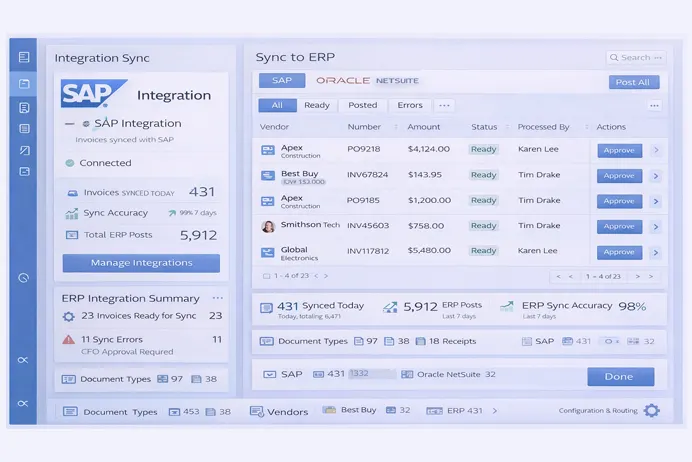
Precisely Automate Studio Manager acts as a control layer for SAP automation by consolidating license oversight, user access, content governance, and execution management within a single administrative framework.

License & User Management

Licenses and users are administered centrally, with role definitions applied to control who can design, execute, or manage automation assets across environments.

Server-Based Job Execution

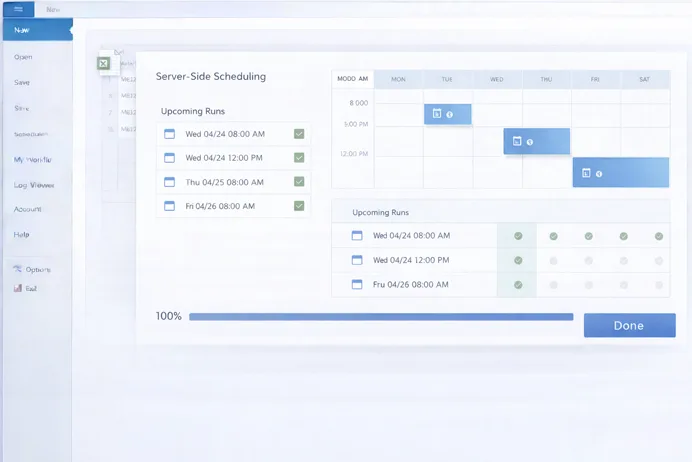
Automation runs are executed from managed servers rather than individual machines, improving execution stability while enabling consistent scheduling and workload handling.

Audit & Compliance

Execution activity, system actions, and data handling events are captured as structured records to support audit reviews and compliance verification.

How Precisely Automate Studio Manager Works

The platform governs automation workflows through centralized policies, role controls, server execution, and real-time visibility across SAP processes.
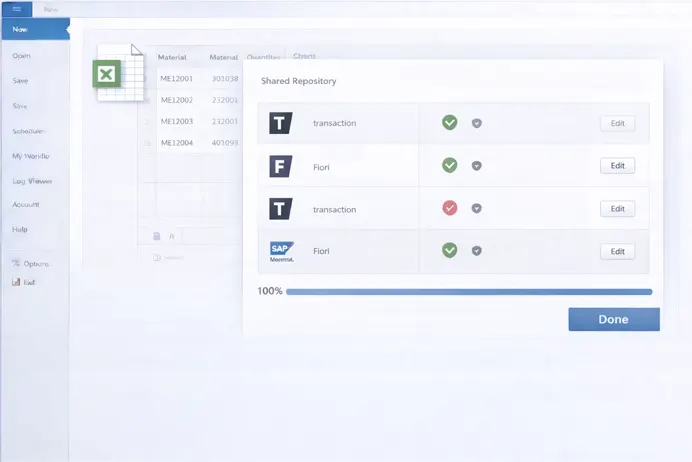
Content Sharing & Approval
Policy Enforcement
Reporting & KPIs
Role-Based Access Control
Multi-User Interface Support
Server-Side Scheduling

Accelerate Accounts Payable with Measurable Results

45%

Improvement in automation governance efficiency through centralized license, policy, and role management.

60%

Reduction in manual SAP job execution effort through centralized scheduling and server-side automation.

100%

Visibility into script usage, execution history, and data exchanges for audit and compliance reporting.

Establish centralized control, reduce operational risk, and scale SAP automation with Precisely Automate Studio Manager.

Book a demo

Key Benefits of Precisely Automate Studio Manager

Automate Studio Manager strengthens SAP automation programs by combining execution control, governance, and visibility in a single platform.

Increased Productivity

Increased Productivity

Server-based execution and centralized management reduce manual coordination and eliminate delays caused by desktop-dependent automation runs.

Enhanced Security & Compliance

Enhanced Security & Compliance

Role-based access, execution constraints, and traceable records establish controlled automation operations aligned with regulatory requirements.

Cost Optimization

Cost Optimization

Efficient license allocation and reduced desktop dependency lower infrastructure overhead and improve automation return on investment.

Improved Collaboration

Improved Collaboration

Shared automation assets and approval workflows enable consistent process execution across teams while maintaining governance.

Scalability

Scalability

The server-based architecture supports growing automation volumes across departments, regions, and complex SAP landscapes.

Enterprise-Grade Oversight

Enterprise-Grade Oversight

Centralized reporting and execution visibility provide IT and process owners with full control over automation activity.

Frequently asked questions

What tasks can Automate Studio Manager govern? +

It governs license usage, user access, automation content, execution policies, scheduling, reporting, and audit logging across Automate Studio deployments.

Can jobs run without tying up local PCs? +

Yes. Jobs are executed directly from the server, removing dependency on individual desktops and improving execution reliability.

Does it integrate with all Automate Studio modules? +

Precisely Automate Studio Manager works with Automate Studio solutions across SAP GUI, Fiori, and HTML-based SAP interfaces.

How are compliance and audits supported? +

The platform logs execution history, user actions, policy outcomes, and data exchanges to support internal and regulatory audits.

Can it scale across large enterprises? +

Yes. Its server-based architecture and centralized governance model support enterprise-wide SAP automation at scale.

Enterprise Control for SAP Automation

Gain enterprise-wide visibility and control over SAP automation using Precisely Automate Studio Manager.

Get a demo

Automate Evolve

Precisely Automate Studio Manager

Centralize governance, execution, and oversight for Automate Studio with controlled access, server-based jobs, and audit-ready reporting.

Maximize Productivity and Governance for SAP Automation

Precisely Automate Studio Manager acts as a control layer for SAP automation by consolidating license oversight, user access, content governance, and execution management within a single administrative framework.

License & User Management

Licenses and users are administered centrally, with role definitions applied to control who can design, execute, or manage automation assets across environments.

Server-Based Job Execution

Automation runs are executed from managed servers rather than individual machines, improving execution stability while enabling consistent scheduling and workload handling.

Audit & Compliance

Execution activity, system actions, and data handling events are captured as structured records to support audit reviews and compliance verification.

How Precisely Automate Studio Manager Works

The platform governs automation workflows through centralized policies, role controls, server execution, and real-time visibility across SAP processes.

Content Sharing & Approval
Policy Enforcement
Reporting & KPIs
Role-Based Access Control
Multi-User Interface Support
Server-Side Scheduling

Accelerate Accounts Payable with Measurable Results

45%

Improvement in automation governance efficiency through centralized license, policy, and role management.

60%

Reduction in manual SAP job execution effort through centralized scheduling and server-side automation.

100%

Visibility into script usage, execution history, and data exchanges for audit and compliance reporting.

Establish centralized control, reduce operational risk, and scale SAP automation with Precisely Automate Studio Manager.

Book a demo

Key Benefits of Precisely Automate Studio Manager

Automate Studio Manager strengthens SAP automation programs by combining execution control, governance, and visibility in a single platform.

Increased Productivity

Increased Productivity

Server-based execution and centralized management reduce manual coordination and eliminate delays caused by desktop-dependent automation runs.

Enhanced Security & Compliance

Enhanced Security & Compliance

Role-based access, execution constraints, and traceable records establish controlled automation operations aligned with regulatory requirements.

Cost Optimization

Cost Optimization

Efficient license allocation and reduced desktop dependency lower infrastructure overhead and improve automation return on investment.

Improved Collaboration

Improved Collaboration

Shared automation assets and approval workflows enable consistent process execution across teams while maintaining governance.

Scalability

Scalability

The server-based architecture supports growing automation volumes across departments, regions, and complex SAP landscapes.

Enterprise-Grade Oversight

Enterprise-Grade Oversight

Centralized reporting and execution visibility provide IT and process owners with full control over automation activity.

Frequently asked questions

What tasks can Automate Studio Manager govern? +

It governs license usage, user access, automation content, execution policies, scheduling, reporting, and audit logging across Automate Studio deployments.

Can jobs run without tying up local PCs? +

Yes. Jobs are executed directly from the server, removing dependency on individual desktops and improving execution reliability.

Does it integrate with all Automate Studio modules? +

Precisely Automate Studio Manager works with Automate Studio solutions across SAP GUI, Fiori, and HTML-based SAP interfaces.

How are compliance and audits supported? +

The platform logs execution history, user actions, policy outcomes, and data exchanges to support internal and regulatory audits.

Can it scale across large enterprises? +

Yes. Its server-based architecture and centralized governance model support enterprise-wide SAP automation at scale.

Enterprise Control for SAP Automation

Gain enterprise-wide visibility and control over SAP automation using Precisely Automate Studio Manager.

Get a demo

Automate Studio

Precisely Automate Studio Manager

Centralize governance, execution, and oversight for Automate Studio with controlled access, server-based jobs, and audit-ready reporting.

Maximize Productivity and Governance for SAP Automation

Precisely Automate Studio Manager acts as a control layer for SAP automation by consolidating license oversight, user access, content governance, and execution management within a single administrative framework.

License & User Management

Licenses and users are administered centrally, with role definitions applied to control who can design, execute, or manage automation assets across environments.

Server-Based Job Execution

Automation runs are executed from managed servers rather than individual machines, improving execution stability while enabling consistent scheduling and workload handling.

Audit & Compliance

Execution activity, system actions, and data handling events are captured as structured records to support audit reviews and compliance verification.

How Precisely Automate Studio Manager Works

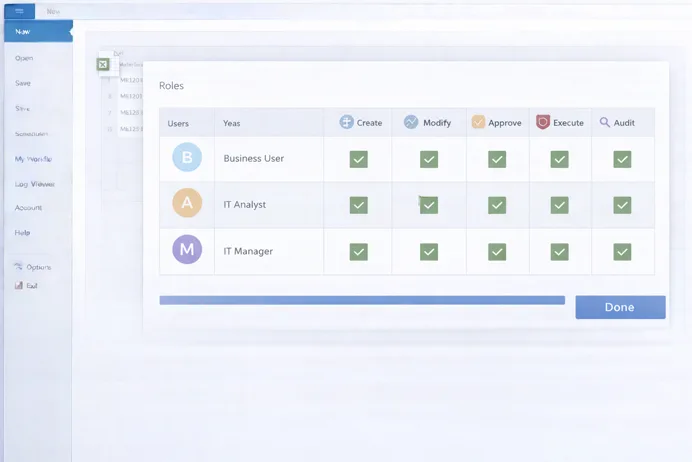
The platform governs automation workflows through centralized policies, role controls, server execution, and real-time visibility across SAP processes.
Content Sharing & Approval
Policy Enforcement
Reporting & KPIs
Role-Based Access Control
Multi-User Interface Support
Server-Side Scheduling

Accelerate Accounts Payable with Measurable Results

45%

Improvement in automation governance efficiency through centralized license, policy, and role management.

60%

Reduction in manual SAP job execution effort through centralized scheduling and server-side automation.

100%

Visibility into script usage, execution history, and data exchanges for audit and compliance reporting.

Establish centralized control, reduce operational risk, and scale SAP automation with Precisely Automate Studio Manager.

Book a demo

Key Benefits of Precisely Automate Studio Manager

Automate Studio Manager strengthens SAP automation programs by combining execution control, governance, and visibility in a single platform.

Increased Productivity

Increased Productivity

Server-based execution and centralized management reduce manual coordination and eliminate delays caused by desktop-dependent automation runs.

Enhanced Security & Compliance

Enhanced Security & Compliance

Role-based access, execution constraints, and traceable records establish controlled automation operations aligned with regulatory requirements.

Cost Optimization

Cost Optimization

Efficient license allocation and reduced desktop dependency lower infrastructure overhead and improve automation return on investment.

Improved Collaboration

Improved Collaboration

Shared automation assets and approval workflows enable consistent process execution across teams while maintaining governance.

Scalability

Scalability

The server-based architecture supports growing automation volumes across departments, regions, and complex SAP landscapes.

Enterprise-Grade Oversight

Enterprise-Grade Oversight

Centralized reporting and execution visibility provide IT and process owners with full control over automation activity.

Frequently asked questions

What tasks can Automate Studio Manager govern? +

It governs license usage, user access, automation content, execution policies, scheduling, reporting, and audit logging across Automate Studio deployments.

Can jobs run without tying up local PCs? +

Yes. Jobs are executed directly from the server, removing dependency on individual desktops and improving execution reliability.

Does it integrate with all Automate Studio modules? +

Precisely Automate Studio Manager works with Automate Studio solutions across SAP GUI, Fiori, and HTML-based SAP interfaces.

How are compliance and audits supported? +

The platform logs execution history, user actions, policy outcomes, and data exchanges to support internal and regulatory audits.

Can it scale across large enterprises? +

Yes. Its server-based architecture and centralized governance model support enterprise-wide SAP automation at scale.

Enterprise Control for SAP Automation

Gain enterprise-wide visibility and control over SAP automation using Precisely Automate Studio Manager.

Get a demo

Document Data Extraction

Automated Document Verification

Validate identity, employment, and regulatory documents by extracting required fields and checking them against defined verification rules used in onboarding and compliance systems.

What is Automated Document Verification?

Raapyd’s automated document validates submitted documents through controlled extraction, logical checks, and name matching to support onboarding, verification, and compliance decisions across regulated processes.

API-Based Validation

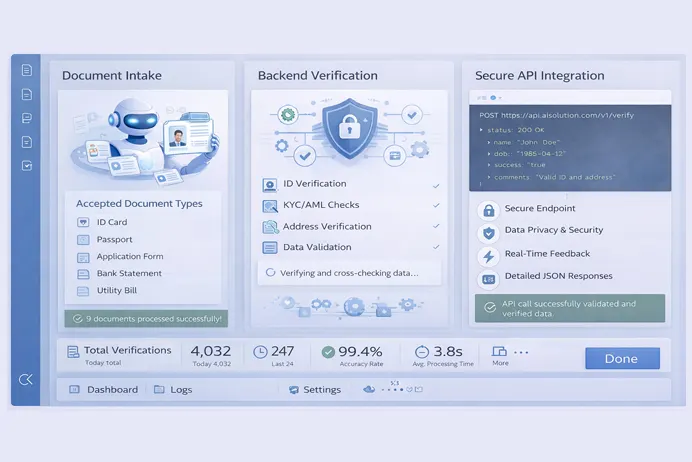
A REST API receives documents and metadata, applies predefined validation rules, and returns structured results for downstream onboarding or verification systems.

Rule-Driven Decisions

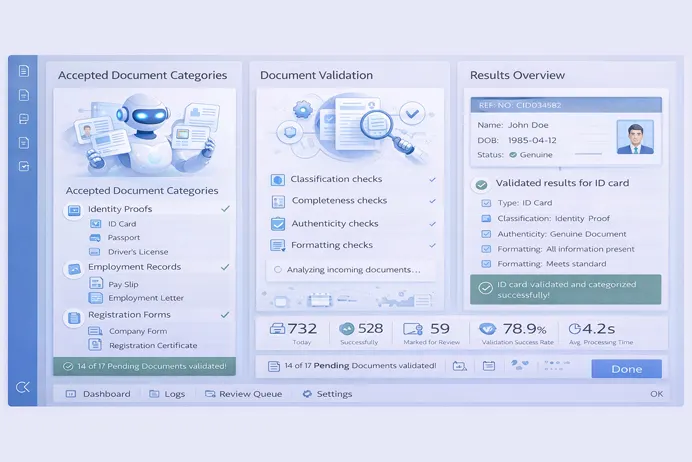
Each submission is evaluated based on document type, field availability, data quality, and validation logic to determine approval, review routing, or rejection.

Name Matching Logic

Fuzzy and NLP-based matching compares form data, document content, and master records to assess consistency and generate confidence scores.

How the Document Verification Works

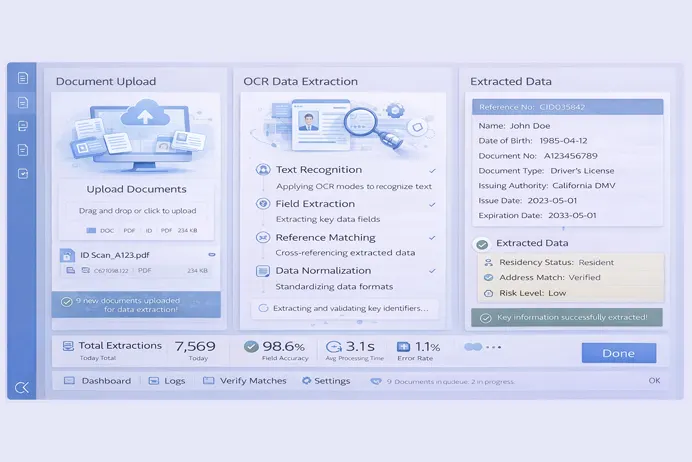
The software processes uploaded documents through validation, extraction, matching, and verdict generation stages before returning structured outputs.

Document Intake
Document Type Checks
OCR Data Extraction
Logical Rule Validation
Name Matching Engine
Verdict & Response Output

Document Verification with Measurable Outcomes

65%

Faster onboarding turnaround by reducing rework from incomplete or invalid bank documents.

97%

Of standard documents processed automatically through predefined validation and matching rules.

100%

Of decisions logged with timestamps to support audit and compliance requirements.

Streamline document validation with Raapyd’s rules-driven engine that delivers clear verdicts, traceable decisions, and system-ready outputs.

Book a demo

Key Benefits of Raapyd Document Verification Automation

Automated validation and decision logic reduce manual checks while maintaining consistency across regulated workflows.

Deterministic Decisions

Deterministic Decisions

Predefined rules ensure consistent approval, routing, or rejection outcomes across all submitted documents.

Reduced Operational Load

Reduced Operational Load

Only documents with partial matches, quality issues, or rule conflicts are routed for operational review.

Improved Data Integrity

Improved Data Integrity

Mandatory field checks and logical validations reduce incomplete or inconsistent records.

Faster Verification Cycles

Faster Verification Cycles

Early-stage validation prevents delays caused by rework, clarification requests, or repeated submissions.

Audit-Ready Outputs

Audit-Ready Outputs

All decisions, match scores, and validation results are logged with timestamps and transaction identifiers.

System-Friendly Integration

System-Friendly Integration

Structured engine responses integrate cleanly with onboarding, compliance, and case management platforms.

Frequently asked questions

What document types are supported? +

The engine supports identity documents, employment records, registration forms, and official statements based on configured document rules. Unsupported types are rejected automatically.

How are name mismatches handled? +

Name comparisons generate match percentages and classifications. Partial matches or special cases are routed for operational review.

Does the engine perform AML or background checks? +

No. The engine focuses on document validation, extraction, and matching. Screening and background checks are handled by downstream systems.

How are low-quality documents treated? +

Documents with low clarity, suspected screenshots, or layout anomalies are rejected or routed based on rule outcomes.

Is audit logging supported? +

Yes. The engine logs extraction results, validation outcomes, routing reasons, timestamps, and transaction identifiers.

AI-Driven Document Verification

Standardize document validation and name matching through Raapyd’s rule-based engine built for onboarding and verification workflows.

Get a demo

Supply Chain Automation

Intelligent Data Processing in Supply Chain

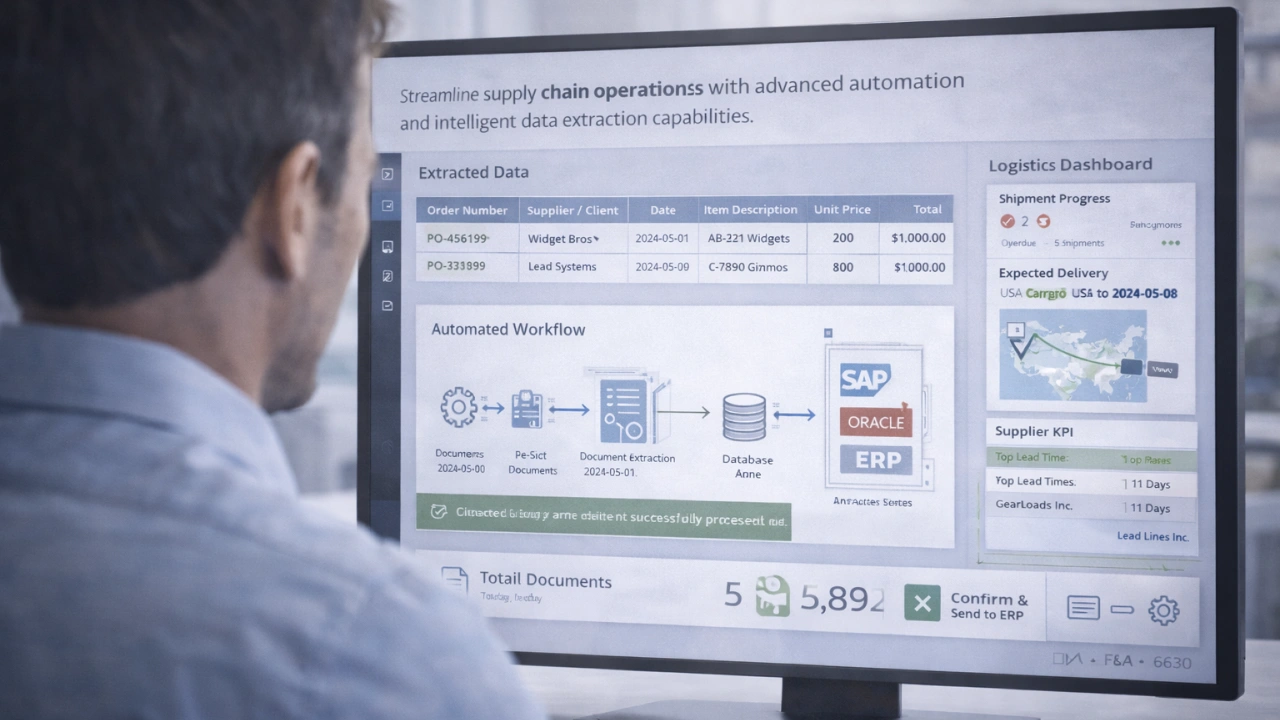
Streamline supply chain operations with advanced automation and intelligent data extraction capabilities.

What is Supply Chain Automation?

Raapyd’s supply chain automation standardizes the handling of logistics and procurement documents through rule-based processing and structured data extraction.

Automated Document Processing

Supply chain documents such as invoices, bills of lading, and shipping records are processed into structured data without manual rekeying.

Error & Compliance Reduction

Built-in validation checks identify missing fields, mismatches, and non-compliant data across operational documents.

Faster Logistics Workflows

Digitized document handling shortens turnaround times for order validation, shipment clearance, and inventory updates.

How our automated supply chain management system works

Supply chain documents are ingested, classified, extracted, validated, and prepared for system integration through automated processing stages.

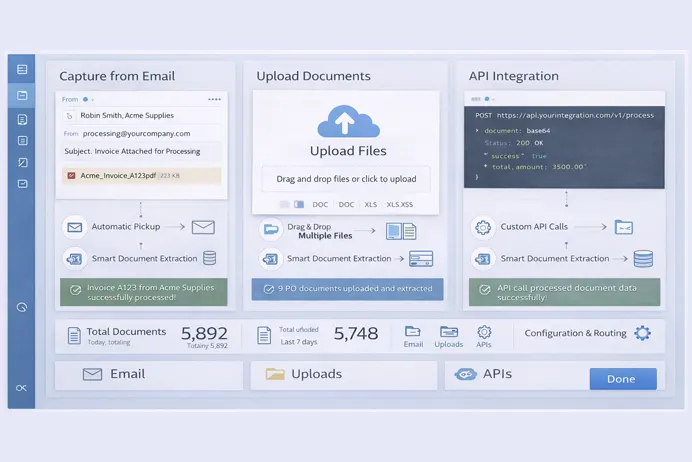
Document Ingestion
Document Correlation
Intelligent Classification
AI Data Extraction
Validation & Exception Handling
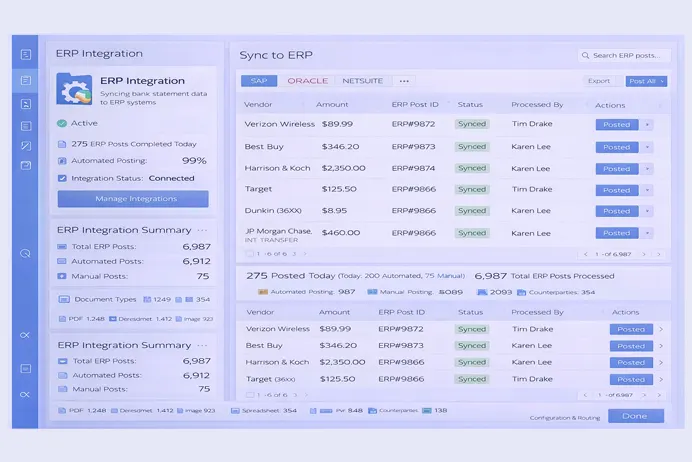
ERP Integration
Analytics & Insights

Accelerate Accounts Payable with Measurable Results

60%

Reduction in document processing costs.

90%

Faster processing of shipping documents.

99%

Data extraction accuracy.

Standardize supply chain document processing and improve data flow across logistics and ERP systems with Raapyd.

Book a demo

Key Advantages of Automation

Raapyd establishes consistent document handling by applying standardized extraction, validation, and integration across supply chain workflows.

Speed & Efficiency

Speed & Efficiency

Document processing cycles are shortened by reducing manual handling and rework.

Error & Fraud Reduction

Error & Compliance Reduction

Consistent validation logic supports accurate records and regulatory alignment.

Cost Savings

Cost Savings

Automation lowers dependency on repetitive manual processing across supply chain operations.

24/7 Operations

24/7 Operations

Documents move through ingestion and validation steps outside standard working hours, avoiding dependency on manual availability.

End-to-End Visibility

End-to-End Visibility

Each document has a processing status as it moves through the system. Approvals and exceptions are recorded so teams can check progress without follow-up emails or manual tracking.

Seamless ERP integration

Seamless ERP Integration

Validated data flows directly into existing enterprise systems without additional transformation.

Frequently asked questions

What documents can be processed? +

Documents like invoices, bills of lading, packing lists, purchase orders, customs paperwork, proofs of delivery, and airway bills can be processed.

Is the solution suitable for different business scales? +

The processing framework supports both limited-volume operations and enterprise-scale deployments.

Can it prevent errors and compliance risks? +

Yes, AI validation and exception handling reduce errors and enforce compliance across all workflows.

Can international and multilingual documents be processed? +

Document formats used in global supply chain operations are supported across regions.

Does it integrate with SAP or other ERPs? +

All the extracted and validated data can be integrated into SAP, Oracle, Microsoft Dynamics, and similar ERP systems through standard integration methods.

Transform Supply Chain Operations

Enable consistent document processing and system-ready data across supply chain workflows with Raapyd.

Get a demo

Form Data Extraction

Form Data Extraction Automation

Form processing software converts paper-based and digital forms into structured datasets through controlled extraction and validation steps.

What is Form Data Extraction?

Raapyd form data extraction converts values from paper-based and digital forms into structured fields using layout recognition and rule-based processing.

AI-Powered Form Data Extraction

Form fields are identified and captured across varying layouts and formats, including fixed templates and semi-structured documents.

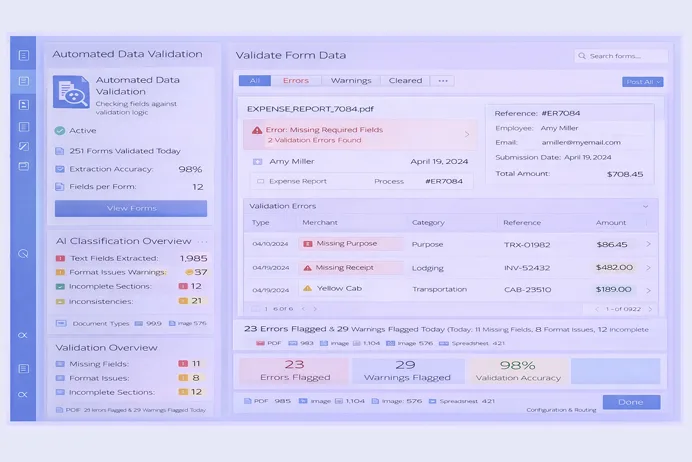
Automated Form Data Validation

Extracted values are checked against defined rules to confirm completeness, format consistency, and acceptable ranges before downstream use.

Scalable Form Data Processing

Process high volumes of forms efficiently with scalable workflows designed for enterprise-grade form data processing.

Form Data Extraction Automation process

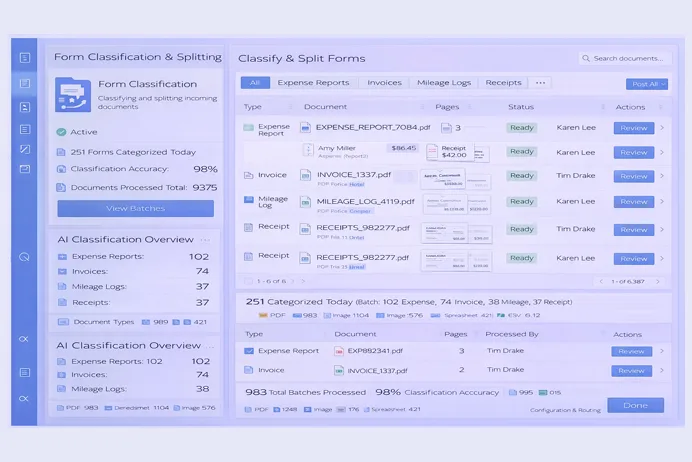
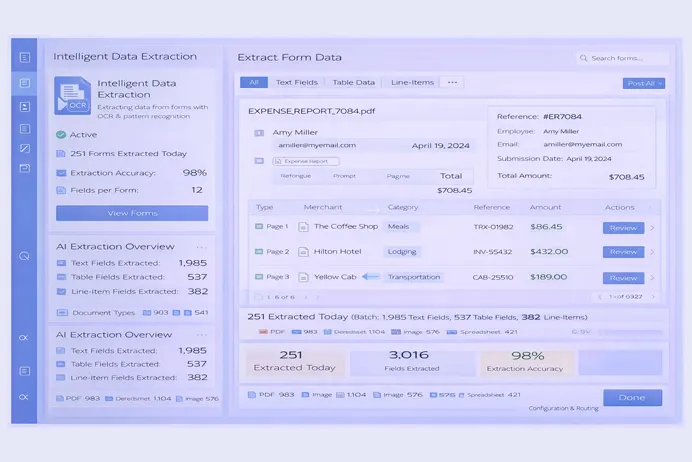
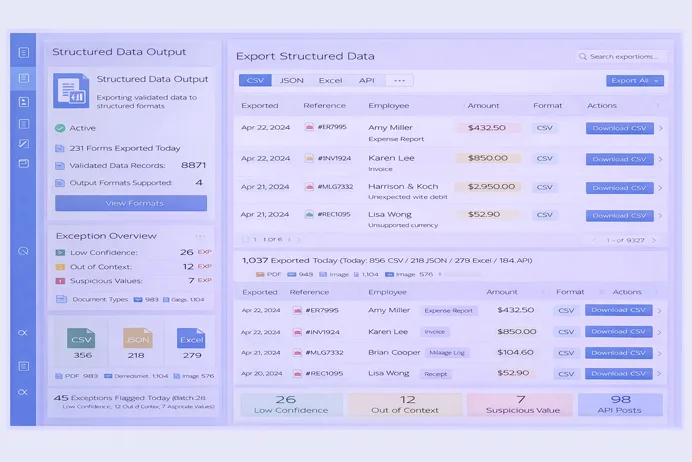
Forms are received, interpreted, validated, and converted into structured outputs suitable for business systems and repositories.

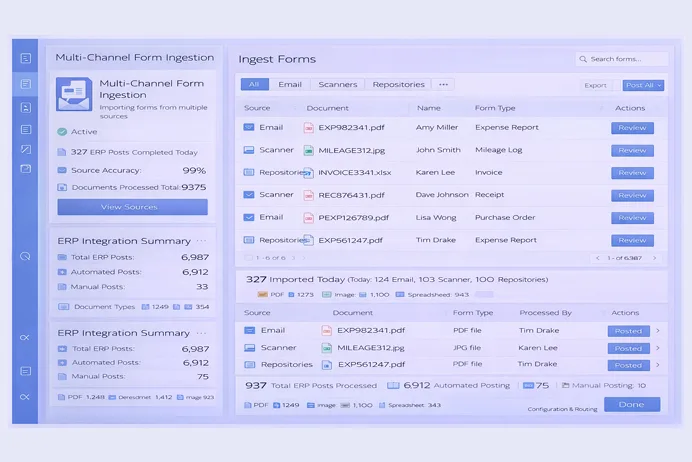
Multi-Channel Form Ingestion
Form Classification & Splitting
Intelligent Data Extraction
Automated Data Validation
Exception & Outlier Handling
Structured Data Output & Integration

Form Data Extraction Automation with Measurable Results

60%

Reduction in expense report handling effort.

75%

Reduction in rework due to incorrect entries.

80%

Improvement in audit readiness.

Standardize form data handling and reduce downstream correction effort through Raapyd’s automated extraction and validation.

Book a demo

Key Benefits of Raapyd Form Automation

Raapyd standardized form processing reduces variability in data handling while supporting consistent validation and downstream system usage.

Faster Form Processing Cycles

Faster Form Processing Cycles

Automated capture and validation shorten the time required to convert submitted forms into usable records.

Accuracy

Higher Data Accuracy

Consistent extraction logic and validation controls reduce variability introduced by manual data entry.

Reduced Manual Review

Reduced Manual Intervention

Only records that fail predefined checks require review, limiting operational effort to exceptions.

Improved Compliance & Audit Readiness

Improved Compliance & Audit Readiness

Validated datasets retain traceability, supporting internal controls and audit requirements.

Scales Across Form Types & Industries

Scales Across Form Types & Industries

Support diverse form types across finance, insurance, lending, logistics, and operations.

Seamless ERP integration

Seamless System Integration

Structured outputs are prepared for use across ERP, ECM, and line-of-business applications.

Frequently asked questions

Can the solution handle handwritten or poor-quality receipts? +

Yes. Intelligent OCR and machine learning models are designed to process handwritten text and low-quality scans with high accuracy.

Does the solution replace existing business systems? +

No. It prepares structured, validated form data before ingestion into downstream business or compliance platforms..

How does the solution handle data validation? +

Validation rules evaluate extracted values for format, completeness, and context, routing exceptions for review when required.

How accurate is the automated data extraction? +

AI-driven extraction combined with validation checks consistently delivers high field-level accuracy.

How does the solution handle data validation? +

Validation rules evaluate extracted values for format, completeness, and context, routing exceptions for review when required.

Automate Form Data Processing

Standardize form data extraction, improve accuracy, and scale form data processing with intelligent automation.

Get a demo

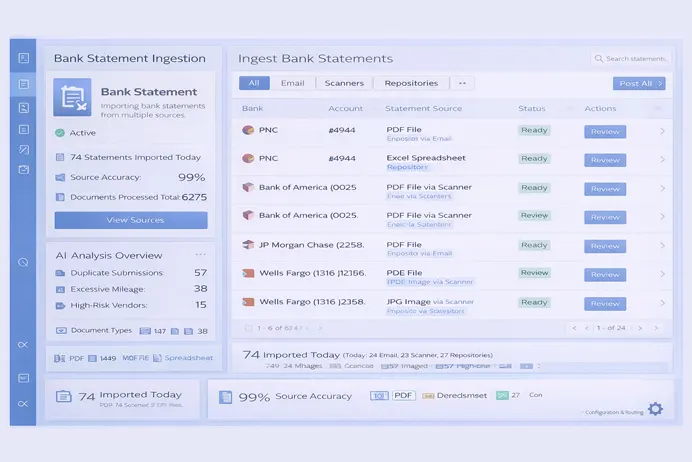
Bank Statements Extraction

Bank Statement Data Extraction AI Software

Raapyd automates bank statement data processing with AI for faster, accurate extraction and streamlined financial workflows.

What is Bank Statement Data Extraction?

Raapyd bank statement data extraction applies AI-driven processing to reduce manual effort and deliver structured financial data with consistency and speed.

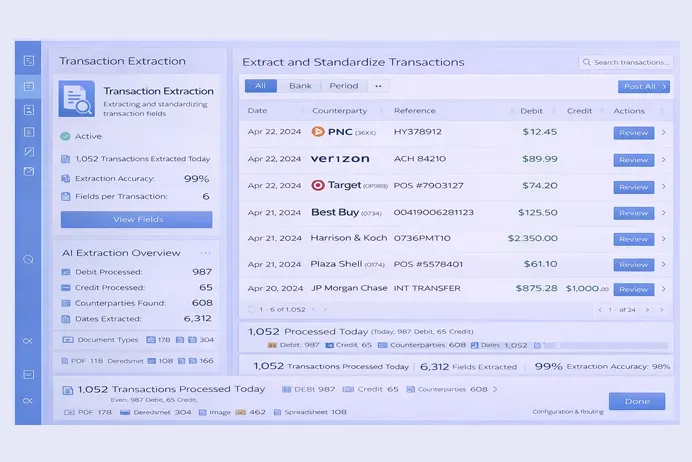
Automated Data Extraction

Extract line-item data, account numbers, balances, and transactions automatically from all bank statement formats.

Dual Accuracy Checks

Validation rules confirm extracted values, while low-confidence records are isolated for follow-up review.

Faster Decision-Making

Transaction data becomes usable earlier in downstream reconciliation, analysis, and reporting processes.

Bank Statement Data Extraction process

Raapyd processes bank statements through ingestion, classification, extraction, validation, and preparation for financial system consumption.

Document Ingestion
Auto-Classification
Line Item Extraction
Validation & Exception Handling
Analysis & Insights
ERP Integration

Bank Statement Data Extraction with Measurable Results

80%

Reduction in manual review effort by isolating only exception-based records.

90%

Faster bank statement data availability through automated extraction and structuring.

99%

Consistency in extracted field accuracy across supported statement formats.

Streamline bank statement data processing, reduce errors, and accelerate financial decision-making with Raapyd automation.

Book a demo

Benefits of Raapyd Bank Statement Automation

Improve financial efficiency and accuracy by automating bank statement data extraction and processing workflows.

Speed & Efficiency

Speed & Efficiency

Process statements rapidly, reducing cycle time and accelerating reconciliation and reporting activities.

Accuracy

Accuracy

Achieve 99%+ extraction accuracy, minimizing errors and ensuring reliable financial data for analysis.

Reduced Manual Review

Reduced Manual Review

Minimize human intervention through dual-layer verification, lowering operational workload significantly.

Actionable Insights

Actionable Insights

Generate structured financial insights directly from statements for informed decision-making.

Scalable & Flexible

Scalable & Flexible

Handle increasing volumes of statements without affecting performance or accuracy across multiple accounts.

ERP Integration

ERP Integration

Post processed bank statement data directly into ERP systems for seamless accounting and reporting workflows.

Frequently asked questions

What formats are supported? +

Supports PDFs, images, Excel files, and other common formats for automated bank statement data processing.

How accurate is AI extraction? +

AI extraction achieves over 99% accuracy using dual-layer validation and automated data checks.

Can it handle high volumes? +

Yes, the solution scales to process large volumes of bank statements without compromising speed or accuracy.

How quickly can I implement it? +

Implementation can be completed in a few weeks depending on integration requirements and document volume.

Does it integrate with finance systems? +

Fully integrates with ERP and finance platforms for automated posting and reconciliation of extracted data.

Automate Bank Statement Processing with Raapyd

Extract, validate, and analyze statement data efficiently with AI-driven automation for faster workflows.

Get a demo

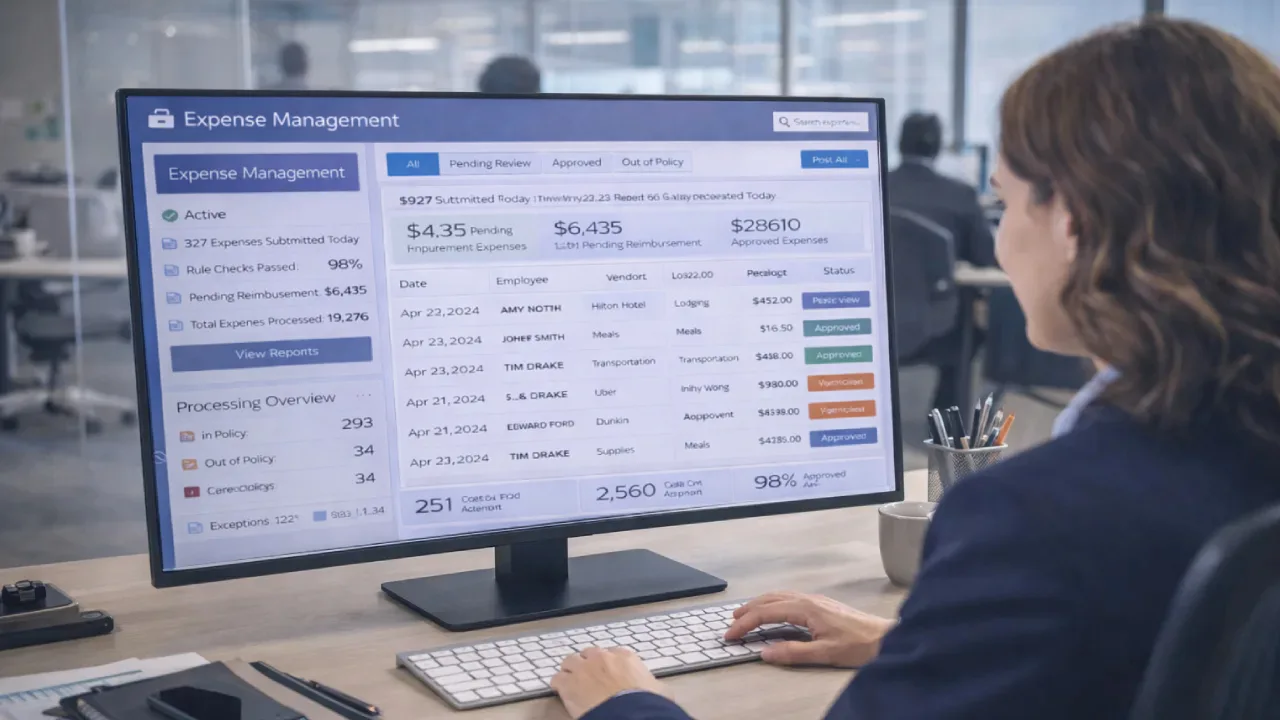
Expense Management

Expense Management Automation Solution

Raapyd Expense management software enables centralized expense intake, rule-based checks, and consolidated reporting to support controlled and timely expense processing.

What is Expense Management Automation?

Raapyd expense management automation standardizes expense document extraction, validation, categorization, and statement reconciliation to reduce manual effort and strengthen financial control.

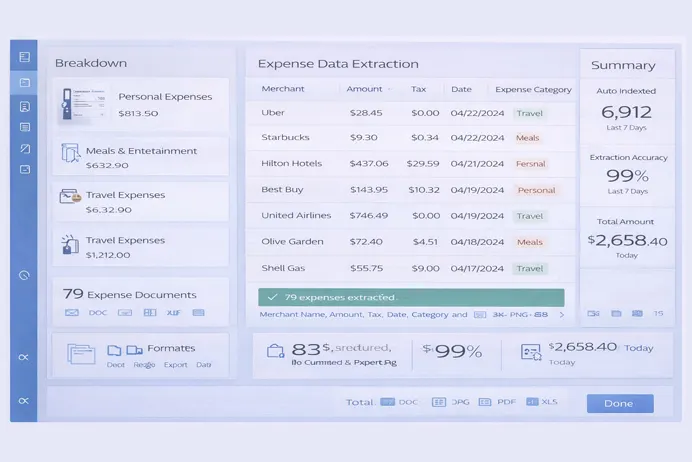
Automated Expense Data Capture

Expense details are extracted from receipts, invoices, and claims using AI models that interpret document structure and assign categories for system-ready records.

Policy-Aware Data Validation

Expense entries are evaluated against defined policy rules at the time of capture to surface exceptions before submission or approval.

Structured Expense Data Output

Convert unstructured expense documents into system-ready data formats for seamless integration with expense and finance platforms.

Expense Management Automation process

Raapyd expense management solution uses AI to ingest, extract, validate, and deliver clean expense data for faster and compliant processing.

Multi-Source Document Ingestion
Expense Document Classification
AI Expense Data Extraction
Automated Data Validation
Duplicate & Anomaly Detection

Expense Management Automation with Measurable Results

70%

Decrease in expense processing delays due to clean, validated, system-ready data.

80%

Reduction in manual expense data entry through automated receipt and invoice processing.

99%

Accuracy in expense data extraction and validation across supported document types.

Improve expense processing consistency and policy compliance with Raapyd automated expense management workflows.

Book a demo

Key Benefits of Raapyd Expense Automation

Consistent expense handling improves data integrity, strengthens financial oversight, and supports more predictable processing cycles.

Faster Expense Processing

Faster Expense Processing

Reduce expense cycle times by automating data capture, validation, and submission processes end to end.

Reduced Manual Review

Reduced Manual Review

Automated checks limit the need for manual verification, lowering review effort within finance operations.

Accuracy

Higher Data Accuracy

Structured extraction and validation support consistent and reliable expense records.

Policy Compliance at Source

Policy Compliance at Source

Enforce expense policies during data extraction to prevent non-compliant submissions early.

Error & Fraud Reduction

Fraud & Duplicate Prevention

Detects duplicate receipts and unusual expense patterns before reimbursements are processed.

ERP & Expense System Ready

ERP & Expense System Ready

Deliver structured expense data compatible with ERP and expense management platforms.

Frequently asked questions

What does Accely automate in expense management? +

The solution automates expense data capture, validation, classification, duplicate detection, and system-ready data delivery across expense workflows.

Which expense documents can the Expense management automation solution process? +

Processes receipts, invoices, mileage claims, and standard expense documents across multiple formats.

Does it ensure accuracy and compliance? +

AI-driven extraction combined with policy-aware validation ensures high accuracy and adherence to expense policies.

Can it integrate with existing expense systems? +

Yes, the solution integrates with ERP and expense management systems for seamless data posting.

Is it suitable for high-volume expense processing? +

The platform scales to handle high volumes of expense documents without impacting accuracy or performance.

Automate Expense Management at Scale

Enable structured expense processing, policy-aligned approvals, and automated handling of expense data across organizational units.

Get a demo

Accounts Payable

Accounts Payable Document Processing AI

Automate accounts payable operations with Raapyd AI-driven invoice processing for faster, more accurate and scalable AP operations.

Transform Your Accounts Payable Process

Raapyd automate accounts payable operations with AI-driven invoice processing for faster, more accurate and scalable AP operations.

Automated Data Capture

Capture invoice data automatically with AI in accounts payable, reducing errors and eliminating manual entry across all document types.

Duplicate & Fraud Prevention

Identifies duplicate invoices, data mismatches, and unusual patterns across transactions to minimize payment errors and financial risk.

Faster Processing & Compliance

Shortens invoice processing cycles while maintaining traceability, regulatory alignment, and audit-ready documentation.

Accounts Payable Automation process

Raapyd accounts payable invoice automation software integrates AI workflows to process invoices, validate them, and approve them with minimal manual efforts.

Document Ingestion
Intelligent Classification
AI Data Extraction
Validation & Exception Handling
Approval Workflow
ERP Integration

Accelerate Accounts Payable with Measurable Results

65%

Accounts payable processing costs are lowered by reducing manual effort and rework, and lowering headcount.

95%

Invoices move through automated processing significantly faster compared to manual or semi-automated AP workflows.

99%

Data capture accuracy is achieved through structured extraction and validation, reducing common manual entry errors.

Improve invoice processing consistency and compliance by applying automated controls across accounts payable workflows.

Book a demo

Accounts Payable Automation Advantages

Use AI to automate accounts payable and reduce risks, while delivering faster, more accurate invoice processing.

Speed & Efficiency

Speed & Efficiency

Invoice processing time is reduced by automating data capture, validation steps, and internal routing across AP operations.

Error & Fraud Reduction

Error & Fraud Reduction

Built-in validation rules identify duplicate records and data mismatches, helping maintain accurate and reliable financial data.

Cost Savings

Cost Savings

Reduce manual labor and operational costs while maintaining high processing accuracy across all AP activities.

24/7 Operations

24/7 Operations

Enable continuous invoice processing and approval workflows without delays or dependency on manual teams.

Seamless ERP integration

Seamless ERP integration

Integrate AP Invoice Automation with SAP or another ERP system for real-time posting, reconciliation and posting.

Frequently asked questions

How accurate is Accely’s Accounts Payable automation? +

AI in accounts payable delivers 99% accuracy in invoice data extraction, reducing manual errors and improving reconciliation efficiency.

What documents can be processed? +

Supports invoices, purchase orders, receipts, credit memos, and other financial documents for end-to-end AP automation.

Does it integrate with SAP? +

Integration is supported with SAP and other ERP platforms to enable invoice posting, status updates, and workflow execution.

Can it prevent duplicate payments? +

Duplicate invoices are identified during validation based on key attributes, reducing the risk of overpayment.

How long does implementation take? +

Deployment can be completed within weeks, depending on ERP integration requirements and document volume.

Accelerate Accounts Payable Operations

Standardize invoice processing, improve data quality, and connect automation with existing AP systems.

Get a demo

Process AI

Precisely Automate Studio Manager

Centralize governance, execution, and oversight for Automate Studio with controlled access, server-based jobs, and audit-ready reporting.

Maximize Productivity and Governance for SAP Automation

Precisely Automate Studio Manager acts as a control layer for SAP automation by consolidating license oversight, user access, content governance, and execution management within a single administrative framework.

License & User Management

Licenses and users are administered centrally, with role definitions applied to control who can design, execute, or manage automation assets across environments.

Server-Based Job Execution

Automation runs are executed from managed servers rather than individual machines, improving execution stability while enabling consistent scheduling and workload handling.

Audit & Compliance

Execution activity, system actions, and data handling events are captured as structured records to support audit reviews and compliance verification.

How Precisely Automate Studio Manager Works

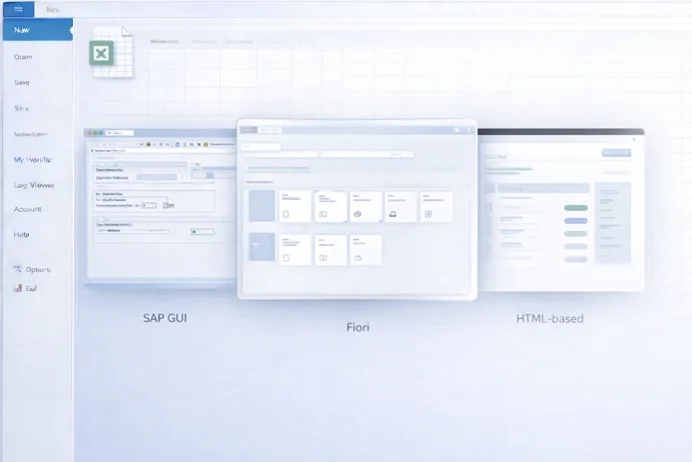
The platform governs automation workflows through centralized policies, role controls, server execution, and real-time visibility across SAP processes.
Content Sharing & Approval
Policy Enforcement
Reporting & KPIs
Role-Based Access Control
Multi-User Interface Support
Server-Side Scheduling

Accelerate Accounts Payable with Measurable Results

45%

Improvement in automation governance efficiency through centralized license, policy, and role management.

60%

Reduction in manual SAP job execution effort through centralized scheduling and server-side automation.

100%

Visibility into script usage, execution history, and data exchanges for audit and compliance reporting.

Establish centralized control, reduce operational risk, and scale SAP automation with Precisely Automate Studio Manager.

Book a demo

Key Benefits of Precisely Automate Studio Manager

Automate Studio Manager strengthens SAP automation programs by combining execution control, governance, and visibility in a single platform.

Increased Productivity

Increased Productivity

Server-based execution and centralized management reduce manual coordination and eliminate delays caused by desktop-dependent automation runs.

Enhanced Security & Compliance

Enhanced Security & Compliance

Role-based access, execution constraints, and traceable records establish controlled automation operations aligned with regulatory requirements.

Cost Optimization

Cost Optimization

Efficient license allocation and reduced desktop dependency lower infrastructure overhead and improve automation return on investment.

Improved Collaboration

Improved Collaboration

Shared automation assets and approval workflows enable consistent process execution across teams while maintaining governance.

Scalability

Scalability

The server-based architecture supports growing automation volumes across departments, regions, and complex SAP landscapes.

Enterprise-Grade Oversight

Enterprise-Grade Oversight

Centralized reporting and execution visibility provide IT and process owners with full control over automation activity.

Frequently asked questions

What tasks can Automate Studio Manager govern? +

It governs license usage, user access, automation content, execution policies, scheduling, reporting, and audit logging across Automate Studio deployments.

Can jobs run without tying up local PCs? +

Yes. Jobs are executed directly from the server, removing dependency on individual desktops and improving execution reliability.

Does it integrate with all Automate Studio modules? +

Precisely Automate Studio Manager works with Automate Studio solutions across SAP GUI, Fiori, and HTML-based SAP interfaces.

How are compliance and audits supported? +

The platform logs execution history, user actions, policy outcomes, and data exchanges to support internal and regulatory audits.

Can it scale across large enterprises? +

Yes. Its server-based architecture and centralized governance model support enterprise-wide SAP automation at scale.

Enterprise Control for SAP Automation

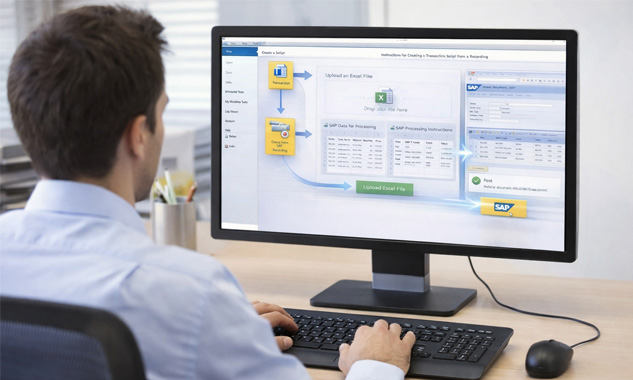
Gain enterprise-wide visibility and control over SAP automation using Precisely Automate Studio Manager.

Get a demo

Let's talk

Have questions? Reach out, we're just a message away.

Connect with us
Let's connect

If you are looking for a reliable SAP Global Strategic Supplier or Technology Partner, simply fill out the form below and we'll be in touch.


    By clicking Submit, you agree to Accely's privacy policy and terms of use.